Table of Contents
- 5 Tips for Corporate Event Photography for Small Businesses
- Tip 1: Master Your Equipment and Settings for Event Coverage
- Tip 2: Create a Detailed Event Photography Shot List
- Tip 3: Deliver Professional Results with Post-Production Consistency
- Tip 4: Market Your Event Photos for Maximum Brand Impact
- Tip 5: Partner with a Professional Event Photographer
- Common Mistakes to Avoid in Corporate Event Photography
- Conclusion: Elevate Your Event with Strategic Photography
Last Updated: July 22, 2026
Corporate event photography is a critical investment for small businesses building brand credibility and creating lasting marketing assets. Professional event photos become social media content, website imagery, and proof of professionalism simultaneously. The difference between photos that sit unused and photos that drive real business value comes down to preparation, technique, and strategic thinking.
Why Corporate Event Photography Matters for Your Brand
Your corporate event gathers your team, clients, partners, and stakeholders in one place. The photos become permanent records of your company’s culture, professionalism, and impact, marketing assets that work long after the event ends. LinkedIn posts featuring genuine event moments consistently outperform generic company updates. Website galleries showing real people at your events build trust with prospects. Strategic planning matters as much as camera skills.
Tip 1: Master Your Equipment and Settings for Event Coverage
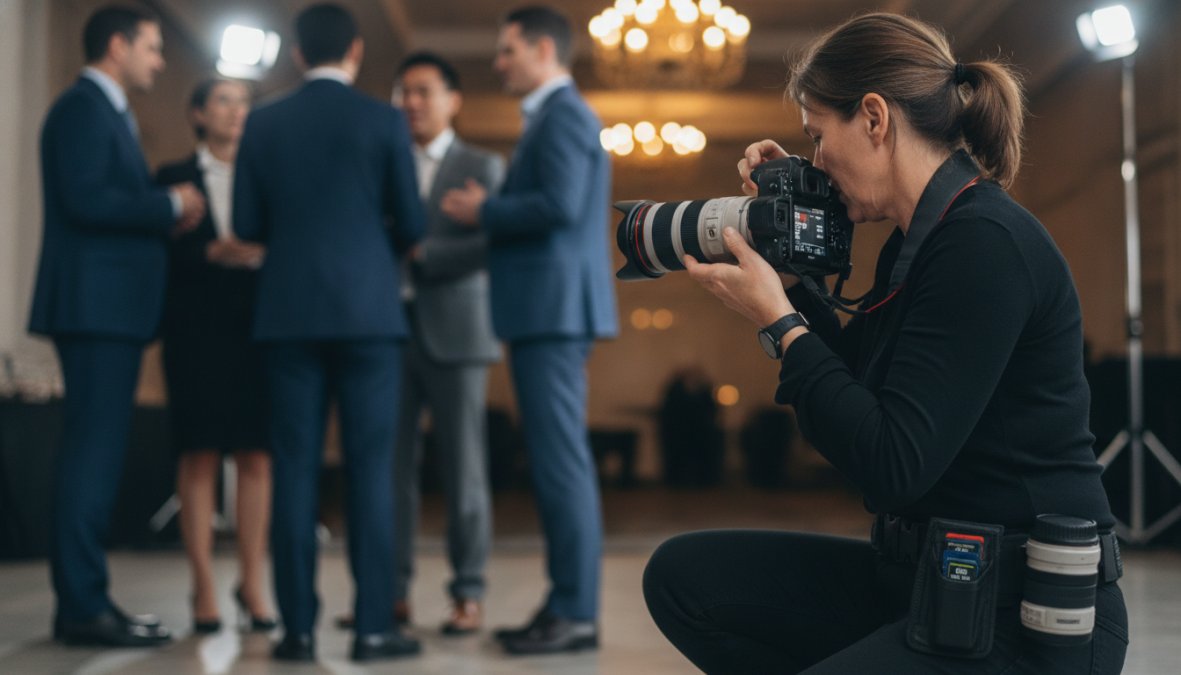
Understanding your camera’s core settings is non-negotiable for event photography. You cannot rely on automatic modes when shooting in ballrooms with mixed lighting or outdoor venues where the sun is dropping fast.
Understanding Aperture, ISO, and Shutter Speed
Aperture (f-stop) controls how much light enters your lens. A lower f-number like f/2.8 lets in significantly more light than f/5.6 and creates shallow depth of field, isolating your subject from busy backgrounds, essential for portraits of executives or VIPs.
ISO is your camera’s sensor sensitivity to light. Most modern cameras handle ISO 1600-3200 well in event settings without excessive digital noise.
Shutter speed determines exposure duration. Fast shutter speeds (1/500s or faster) freeze motion, capturing candid moments of people laughing or shaking hands. In event photography, aim for 1/125s to 1/500s depending on available light and movement.
Practical workflow: arrive early, assess venue lighting, and set aperture to the widest your lens allows (usually f/2.8 or f/4). Then adjust ISO and shutter speed based on actual light levels. If underexposed, raise ISO before slowing shutter speed, motion blur is worse than digital noise.
Shoot in RAW format whenever possible. RAW files preserve more image data than JPEGs, giving you significantly more flexibility in post-production to recover shadow detail, adjust white balance, and recover blown highlights.
Budget-Friendly Gear Options for Small Businesses
You don’t need a $3,000 camera to shoot professional-quality event photos. The Canon EOS R6 Mark II ($2,499 body only) is a full-frame mirrorless camera built for event work with excellent high ISO performance and reliable autofocus in low light. The Nikon NIKKOR Z 24-70mm f/2.8 S ($2,399.95) is a versatile workhorse lens with constant f/2.8 aperture. The Godox AD200Pro Witstro ($349) is a portable flash working both on-camera and off-camera for filling shadows during group photos.
Don’t buy gear just because it’s expensive. A $500 camera with clear understanding of exposure and composition outperforms a $5,000 camera in inexperienced hands. Invest in learning first, then upgrade equipment as needs become clear.
Tip 2: Create a Detailed Event Photography Shot List
Most small business owners arrive at events without a clear plan for what photos they actually need. A shot list is your roadmap, specifying exactly which moments, people, and scenes you need documented. This 30-minute planning step transforms event photos from random snapshots into strategic marketing assets.
Planning for VIPs, Executives, and Key Moments
Start by identifying non-negotiable moments: CEO remarks, award presentations, keynote speakers, networking sessions, and closing remarks. Next, list people who must be photographed: your CEO, board members, major donors or sponsors, and external VIPs. Then add environmental shots: venue entrance, decorated ballroom, registration table, and seating arrangement.
A practical shot list includes:
- CEO welcome remarks (wide stage shot, close-up at podium, audience reaction)
- Award presentation (recipient walking to stage, accepting award, holding award with CEO)
- Networking session (3-4 candid conversation moments, group shots)
- Dinner service (plated food, attendees eating and conversing)
- Closing remarks and group photo
Communicate this shot list to your photographer before the event to ensure critical moments aren’t missed.
Capturing Candid vs. Posed Moments
The best event photos mix candid and posed moments. Candid shots show authenticity, people laughing genuinely, engaged in conversation, reacting to stage moments. Posed moments ensure you have clean, professional images of key people for your website and marketing materials.
Candid moments happen when you step back and observe. The photographer should watch the room, anticipate moments before they happen, and capture reactions rather than just main action. Posed moments require brief event pauses: pull your CEO aside for a 30-second headshot, gather board members for a formal group photo, ask award recipients to hold their award and smile.
Aim for roughly 70% candid, 30% posed. Too many posed shots make your event look stiff and staged. Too few leave you without professional images for formal communications.
The best [event photographer](/professional-event-photography-services-guide/)s anticipate moments before they happen. They position themselves to capture reactions, transitions, and genuine interactions rather than just pointing at whatever is happening in front of them.
Tip 3: Deliver Professional Results with Post-Production Consistency
Raw event files are rarely ready to use immediately. They need color correction, exposure adjustments, and sometimes removal of distracting elements. Post-production can consume as much time as the event itself, and inconsistent editing makes your photo gallery look unprofessional.
The solution is batch editing: apply consistent adjustments to your entire event gallery so every image shares the same color tone, brightness, and overall aesthetic.
Batch Editing and Color Accuracy in Raw Files
Adobe Lightroom Classic ($9.99/month as part of the Photography Plan) is the industry standard for batch editing large photo volumes. Import all RAW files, select a representative photo from your event, and establish baseline adjustments (white balance, exposure, contrast, saturation). Then apply those adjustments to your entire gallery with a single click.
White balance is the most critical adjustment. If your event had mixed lighting, warm tungsten lights in some areas, cool LED panels in others, your photos will have inconsistent color casts. Correcting white balance ensures skin tones look natural across all images.
Exposure adjustments come next. Lightroom’s auto exposure adjustment is effective, but fine-tune individual images for consistency. Contrast and clarity adjustments add punch to images, making colors pop and subjects stand out from backgrounds.
Once you’ve established baseline adjustments, save them as a "preset" and apply them to your entire event gallery in seconds.
Export final images at 100% quality JPEGs for web use, but keep original RAW files and your Lightroom catalog indefinitely. Cloud backup services like Backblaze ($9/month or $99/year) provide unlimited cloud storage for all original files, ensuring you never lose irreplaceable [event photography](/event-photography-social-media-guide/).
Tip 4: Market Your Event Photos for Maximum Brand Impact
Capturing great photos is only half the battle. Strategic photo distribution turns your event investment into ongoing marketing value. A single day of photography can generate months of social media content, website updates, and marketing materials.
Social Media Optimization and Branding
Event photos perform exceptionally well on LinkedIn, especially when paired with narrative captions. Rather than posting a single photo with "Great event yesterday," share 5-8 images telling your event’s story: opening moments, key speakers, networking, and closing. Write a caption explaining what happened and why it mattered.
Post event photos within 24-48 hours while attendees are still thinking about the event and more likely to engage and share. Tag attendees and speakers in captions to increase visibility.
For your website, create an event gallery page showcasing 15-20 of your best photos. This shows prospects that your company hosts professional events and provides social proof of your engagement.
Legal and Usage Rights for Corporate Images
Before distributing event photos, clarify your usage rights. If you hired a professional photographer, your contract should specify whether you own the photos outright or whether the photographer retains copyright and you have a license to use them.
When photographing attendees, consider having them sign a simple photo release form. If your event includes external speakers or high-profile guests, get explicit permission before using their photos in marketing.
Tip 5: Partner with a Professional Event Photographer
At some point, many small businesses realize that DIY event photography either produces poor results or consumes so much employee time that it’s not cost-effective. This is when partnering with a professional event photographer becomes the strategic choice.
Understanding Corporate Photography Pricing and Value
Professional event photography pricing depends on coverage hours, number of photographers needed, and deliverables expected. What matters is understanding the value exchange. A professional photographer brings equipment redundancy, experience shooting in challenging lighting, the ability to anticipate and capture moments you’d miss, and post-production expertise to deliver polished final images.
For a small business, this typically means usable photos that actually work for your marketing, rather than spending weeks salvaging mediocre images or missing critical moments.
What to Expect from a Professional Photographer
A professional event photographer should provide a pre-event consultation to understand your goals, VIPs, key moments, and brand aesthetic. During the event, they should be discreet and professional, capturing moments without being intrusive. After the event, expect edited, color-corrected images within 1-2 weeks in formats you can easily use.
Small businesses hosting 1-3 corporate events per year benefit most from hiring a professional photographer. The investment is justified by time saved, consistency of results, and marketing value of professional images.
Common Mistakes to Avoid in Corporate Event Photography
Hiring a photographer with no event experience. Verify that any photographer you hire has a portfolio of actual event work, not just portraits or landscapes.
Providing no direction or shot list. Invest 30 minutes in creating a shot list and communicating priorities.
Shooting only posed moments. The best galleries mix posed professional shots with genuine candid moments showing real people enjoying themselves.
Ignoring white balance and color consistency. Batch editing to ensure consistent white balance is non-negotiable.
Waiting too long to use your photos. Event photos have maximum impact when shared within 48 hours.
Storing photos in only one location. Use cloud backup services to ensure original files are protected.
Not clarifying usage rights upfront. Confirm in writing whether you own the photos or have a license to use them.
Conclusion: Elevate Your Event with Strategic Photography
Corporate events represent significant investments of time, budget, and organizational energy. The photos from those events should work just as hard as the event itself, delivering marketing value long after attendees go home.
Ready to transform your next corporate event into lasting brand assets? Contact Event Photojournalism for a consultation.
| Strategy | Timeline | Impact |
|---|---|---|
| Create shot list | 30 minutes before event | Ensures critical moments captured |
| Master camera settings | 15 minutes upon arrival | Delivers sharp, properly exposed images |
| Batch edit in Lightroom | 2-3 hours post-event | Creates consistent, professional gallery |
| Post to social media | Within 48 hours | Maximizes engagement and reach |
| Archive with cloud backup | Immediately after delivery | Protects irreplaceable assets |
The difference between photos that sit unused and photos that drive real business value comes down to preparation, technique, and distribution. By following these five tips for corporate event photography, you transform a single day of photography into months of marketing assets that strengthen your brand and create lasting records of your company’s culture and impact.
Frequently Asked Questions
What are the most important camera settings for corporate event photography?
For corporate event photography, prioritize a fast aperture (f/2.8 or wider) to handle low light conditions, ISO between 1600-3200 depending on venue lighting, and a shutter speed of at least 1/125s to freeze candid moments. White balance is critical for color accuracy across different lighting environments, set it manually or use a custom white balance card. These settings form the foundation of professional event coverage that delivers sharp, well-exposed images suitable for annual reports and marketing materials.
How do I create an effective event photography shot list for corporate clients?
Start by meeting with your client to identify key moments: VIP arrivals, executive remarks, networking sessions, group photos, and branding opportunities. Document specific people, sponsors, and logo placements that matter for their marketing goals. Include venue details and timing. Your shot list should balance structured moments (speeches, presentations) with candid coverage that captures authentic networking and engagement. Share this list with event staff so they can alert you to important moments, and build in flexibility for spontaneous storytelling that brings the event to life.
What should I charge for corporate event photography as a small business?
Corporate photography pricing depends on quantity, dates, delivery timeline, and whether you're providing edited raw files or final social media assets. Pricing varies significantly based on event duration, number of photographers needed, and post-production requirements. For accurate pricing that reflects your experience, market position, and the scope of work, contact a professional photographer directly for a customized quote. Many photographers offer package options for small businesses to make professional coverage more accessible.
How do I use event photos for social media and marketing after the event?
Optimize event photos for social media by selecting high-impact candid shots that show authentic engagement and brand presence. Resize images for each platform (Instagram Stories, LinkedIn, Facebook), add subtle branding without overwhelming the image, and include captions that tell the story of your event. Consider using AI tools for batch editing to maintain consistency across your social feed. Ensure you have proper usage rights and permissions from attendees before posting. Post-production consistency, matching color tone and brightness, elevates your brand's visual storytelling and encourages higher engagement.
This article was written using GrandRanker