Table of Contents
- Why Event Photos Matter in Sponsorship Decks
- Types of Images to Include: Past Events vs. Mock-Ups
- Event Sponsorship Proposal Examples: Real-World Photo Placement
- Sponsorship Deck Design Best Practices for Visual Impact
- How to Show ROI in Sponsorship Decks with Visual Evidence
- Incorporating Attendee Testimonials and Audience Demographics
- Legal and Privacy Considerations for Event Photography
- Step-by-Step: Building Your Photo-Driven Sponsorship Deck
Last Updated: August 7, 2026
Why Event Photos Matter in Sponsorship Decks
Event photos transform sponsorship decks from abstract business plans into proven investments. A well-chosen image tells a story in seconds, the energy of your attendees, the quality of your experience, the caliber of people involved. Sponsors invest in moments they can see themselves part of, and photos provide that proof of execution.
Without photos, your deck reads like a proposal. With them, it reads like a proven investment. The challenge isn’t finding photos; it’s knowing which ones belong in a sponsorship deck and where. Not every great event photo works in a proposal. At Event Photojournalism, we’ve worked with nonprofits, corporate event planners, and associations across the DMV area to understand what makes photos convert sponsors from "interested" to "committed."
This guide covers selecting, organizing, and presenting event photography in sponsorship decks, the technical side, legal considerations, and the workflow that transforms raw images into a persuasive visual argument.
Types of Images to Include: Past Events vs. Mock-Ups
Your sponsorship deck needs two categories of imagery: proof of past performance and visualization of future opportunity.
Past event photos show what you’ve already delivered. A photo of your last gala showing a packed ballroom with recognizable local leaders creates immediate trust. Sponsors see themselves in that room and the audience they want to reach.
Mock-ups and renderings show what sponsors will experience if they commit. A mock-up might show a sponsor logo placement on a branded step-and-repeat banner or a visualization of a VIP lounge setup. Mock-ups answer the question: "What does my sponsorship actually look like?"
The mistake most organizations make is leading with mock-ups. Sponsors want proof first. Start with your strongest past event photos, then use mock-ups to clarify specific activation details. Dedicate the first third of your deck to past event highlights, the middle section to sponsorship opportunities and mock-ups. This sequence moves from "we’ve done this successfully" to "here’s exactly what we’re offering you."
Event Sponsorship Proposal Examples: Real-World Photo Placement
Understanding how photos function in a sponsorship deck requires seeing them in context. The placement of an image changes its impact.
A photo placed immediately after you state your audience size becomes proof. "We attract 800 senior decision-makers annually" followed by a photo of a crowded networking reception becomes credible. The image validates the number.
A photo placed next to your sponsorship tiers and pricing creates visual urgency. When a sponsor sees a photo of last year’s platinum sponsor activation with their logo prominent and their booth bustling, they understand what they’re paying for.
The most effective sponsorship decks use photos as visual transitions between sections. If your deck has five key sections (mission, audience, past events, sponsorship tiers, activation details), place one strong photo at the end of each section. This creates visual breathing room and anchors each argument with proof.
Sponsorship Deck Design Best Practices for Visual Impact
A photo placed poorly can damage your credibility. Design matters as much as content.
High-Resolution Photography Standards
Event photos intended for sponsorship decks must meet specific technical standards. Low-resolution images read as unprofessional and undermine every other claim in your deck.
Minimum standard: 300 DPI (dots per inch) for print-ready materials. For digital presentations, you can work with 72 DPI, but the source image should still be high-resolution. Professional event photographers deliver images at full resolution, typically 3000×2000 pixels or larger, giving you flexibility to crop and resize without losing quality.
Strategic Slide Layout and Placement
Where a photo sits on the slide determines how viewers process it. Use a 60/40 rule: sixty percent of the slide contains text, data, or headline; forty percent is dedicated to the photo. This ratio keeps the slide readable while ensuring the image has real visual presence.
Position photos asymmetrically. Photos positioned at the top establish context. Photos at the bottom anchor the message you’ve just presented. Avoid centering photos; asymmetrical layouts read as more professional and intentional.
White space is your ally. A photo surrounded by breathing room reads as intentional.
Technical Image Optimization for File Size
Sponsorship decks are often emailed to potential sponsors or viewed on various devices. Unoptimized images create 50MB files that bounce back from email servers or load slowly on tablets.
A photo that will be displayed at 4 inches wide on a slide doesn’t need to be 3000 pixels wide. Scale it down to 1200 pixels and compress it to 85% quality to maintain visual clarity while reducing file size from 2MB to 200KB.
Tools like ImageOptim (Mac) or FileOptimizer (Windows) batch-process images without requiring technical skill. Create a folder for "deck images," size each image to the maximum width it will appear in your slides (typically 1200-1600 pixels), export as JPEG at 85% quality, run through an optimization tool, then import into your design software. This workflow takes 10 minutes per deck and keeps file size under 15MB.
How to Show ROI in Sponsorship Decks with Visual Evidence
Sponsors want to understand return on investment. Photos provide visual evidence of ROI. A photo showing a sponsor’s logo on a branded step-and-repeat with dozens of attendees demonstrates visibility. A photo of your VIP reception with recognizable local business leaders shows the caliber of audience the sponsor will reach.
Connect photos to metrics. Don’t just show a photo of last year’s gala; show it alongside attendance numbers and sponsor recall data. A photo of 200 people at your reception becomes more compelling when you note that 87% of attendees could name the event sponsors in a follow-up survey.
Create a "sponsorship impact" slide combining photos with data. Left side shows a photo of sponsor activation. Right side shows the metrics: "500 attendees engaged with sponsor booth. 34% collected sponsor materials. 12% requested follow-up." The photo makes the metric concrete. The metric makes the photo meaningful.
Incorporating Attendee Testimonials and Audience Demographics
Photos of your attendees are valuable only if sponsors understand who those attendees are. Demographics and testimonials contextualize the visual evidence.
An attendee testimonial placed next to a photo of that attendee creates authenticity. Quotes like "This event connected me with three new clients" become more credible when paired with a photo. Testimonials should be specific and attributable: "As VP of Business Development at ABC Corp, I connected with five new vendors and three potential partners" is powerful.
Use one dedicated slide for testimonials and demographics. This becomes your "proof of audience quality" slide, answering every question a sponsor might have about who attends and what value they receive.
Legal and Privacy Considerations for Event Photography
Using event photos in sponsorship decks requires attention to privacy and legal considerations.
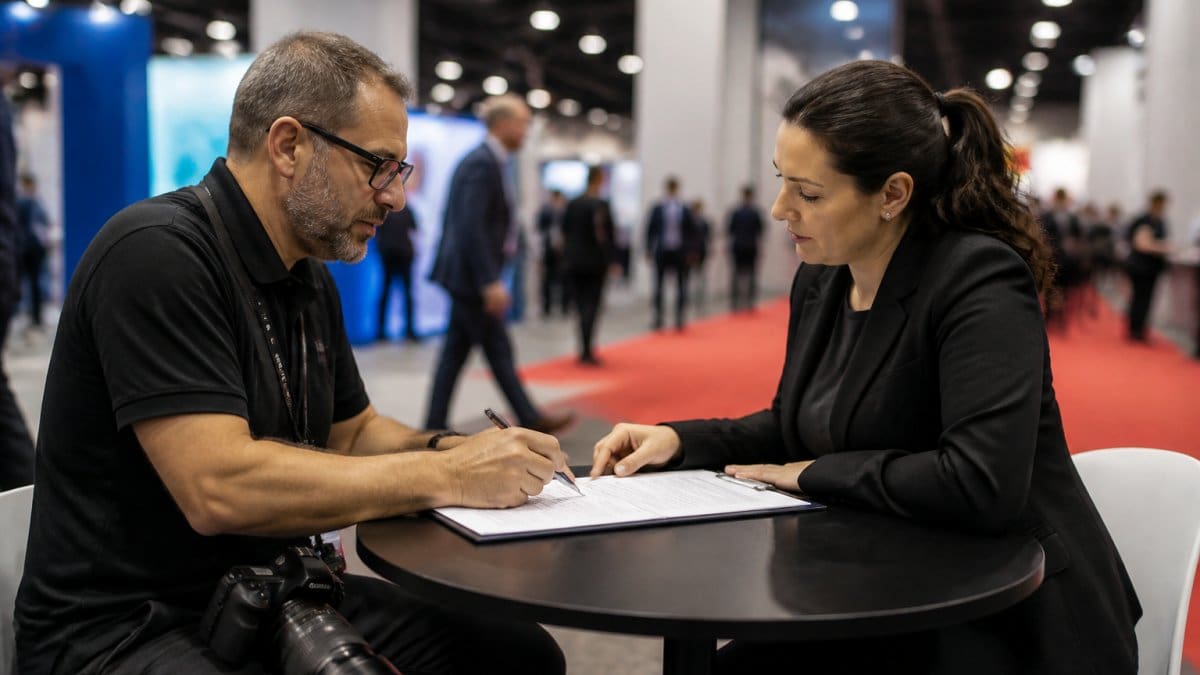
Model releases and consent: If your photos feature recognizable individuals, you should have consent to use those images in marketing materials. A simple model release form signed at the event or obtained afterward protects you legally. For nonprofit and corporate events, a blanket consent statement often works: "By attending this event, you consent to photography and the use of photos in promotional materials." Include this in your event registration or on signage at the event entrance.
Privacy-first approach: Photograph group scenes rather than individual portraits. A photo of a crowded networking reception doesn’t require individual consent. A close-up portrait does. For sponsorship decks, group photos and wide shots are often more useful anyway.
Facial recognition and data: Some organizations use event photos in digital marketing after using them in sponsorship decks. Be aware of state privacy laws. Virginia and Maryland have emerging regulations around biometric data and facial recognition. If you’re planning to use photos in any data-driven way, consult with your legal team.
Competitor sensitivity: Be thoughtful about which photos you use in sponsorship decks. A photo of a competitor’s representative prominently featured might create awkwardness. When in doubt, use photos where competitors’ representatives are in the background.
Step-by-Step: Building Your Photo-Driven Sponsorship Deck
The process of building a sponsorship deck with photos follows a specific workflow.
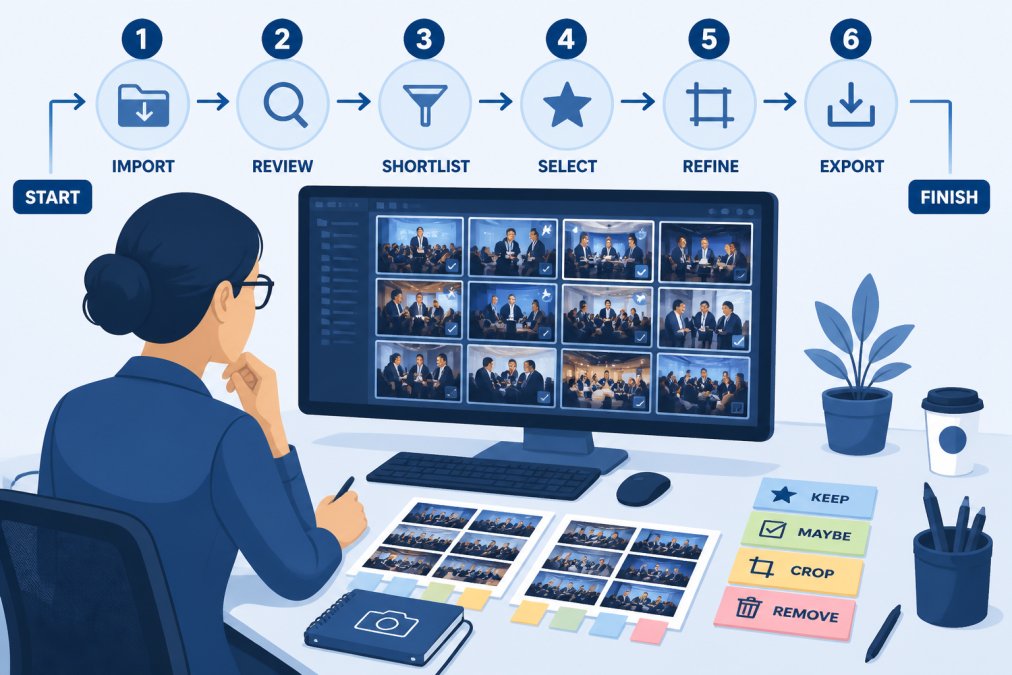
Step 1: Curate and Select Your Best Shots
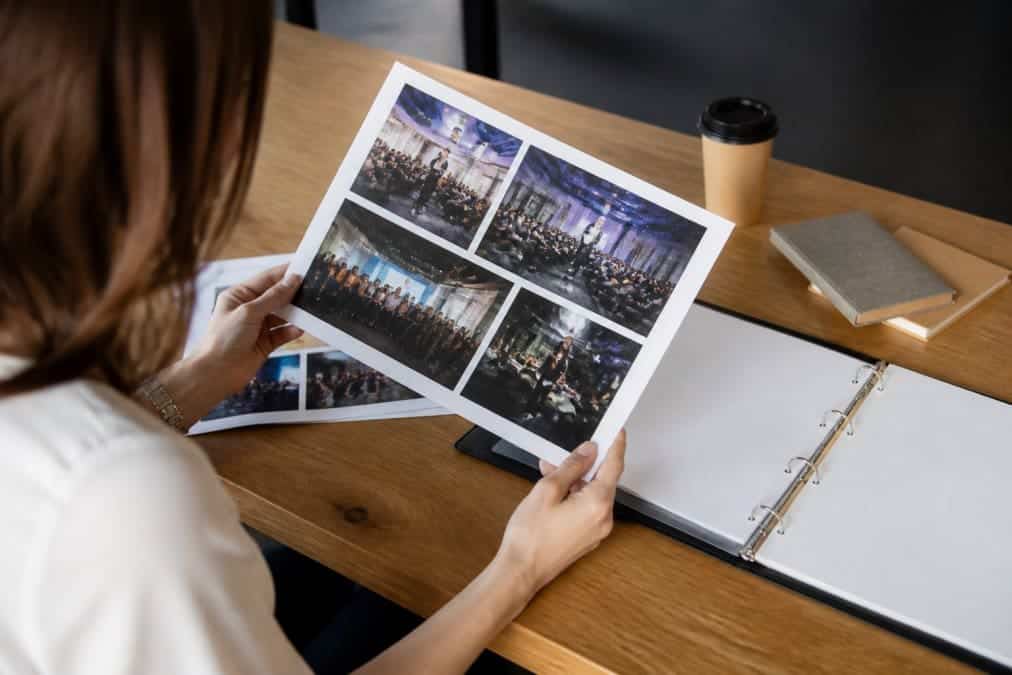
Start with all available photos from your past events. If you have 500 photos from last year’s gala, you’ll use 8-12. Look for photos that show three things: scale (how many people attended), energy (what the experience felt like), and quality (the caliber of attendees and production).
Eliminate photos that are technically weak, blurry, poorly lit, or awkwardly composed. Create a "shortlist" folder of 20-30 candidate photos. Live with this list for a day or two. Which ones do you keep coming back to? Those are your deck photos.
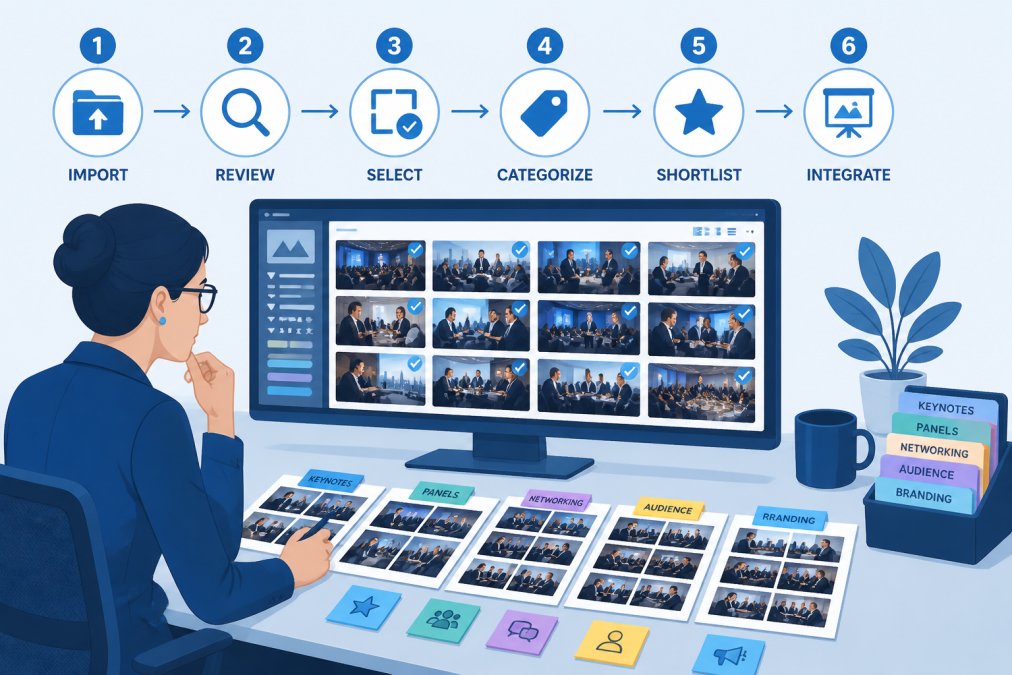
Step 2: Organize Photos by Theme and Narrative Flow
Organize selected photos by theme: attendee networking, speaker presentations, sponsor activations, VIP moments, and overall venue atmosphere. This thematic organization determines your deck’s narrative flow.
Arrange your themes in the order that builds the strongest argument. Most decks work well with this sequence: mission/overview, audience quality, past event highlights, sponsorship opportunities, activation details, call to action.
Step 3: Optimize Images for Presentation and File Size
Before placing photos in your design software, optimize them. Export each selected photo at the size it will appear in your slides. If a photo will be 5 inches wide, export it at 1200 pixels wide. Save as JPEG at 85% quality.
Batch-process your selected photos through an image optimization tool. A deck with 10 properly optimized photos will be 10-15MB.
Step 4: Design Slides with Brand Alignment and Visual Hierarchy
Place photos into your deck using the 60/40 ratio of text to image, asymmetrical positioning, and white space. Ensure your color palette and typography align with your organization’s brand.
Use consistent photo styling. If some photos are bordered and others aren’t, your deck looks amateurish. Pick a consistent approach and apply it throughout.
Step 5: Add Captions, Metrics, and Calls to Action
Every photo needs context. A caption should answer the question "Why is this photo here?" A photo of your gala ballroom might be captioned: "2024 Gala: 800 attendees, 95% sponsor satisfaction."
Metrics turn photos into evidence. Include attendance numbers, sponsor recall rates, engagement metrics from past events, or demographic breakdowns. After showing photos of past success, explicitly ask for the sponsorship: "Join us as a Platinum Sponsor in 2026. Contact us to discuss custom activation opportunities."
Building a sponsorship deck with photos is fundamentally about translating past success into future commitment. Event Photojournalism understands this challenge; we’ve provided award-winning photography for galas, conferences, and corporate events across the DMV area specifically because organizations need images that prove execution and inspire confidence. When you’re ready to create a deck that converts sponsors, professional photography and strategic placement work together. Contact Event Photojournalism to discuss how high-resolution imagery from your next event can strengthen your sponsorship proposals and secure the funding your mission deserves.
Frequently Asked Questions
Should I use stock photos or real event photos in my sponsorship deck?
Real event photos are significantly more effective for sponsorship decks. Authentic images of past events demonstrate actual brand visibility, attendee engagement, and the event's atmosphere in ways stock photos cannot replicate. Sponsors want to see real results and genuine audience interaction. Stock photos can supplement mock-ups of future activation opportunities, but the core of your deck should feature high-quality photography from actual events you've hosted.
How many photos should I include in a sponsorship pitch deck?
Most effective sponsorship decks include 8-15 high-quality event photos distributed across 15-25 total slides. The exact number depends on your deck's length and narrative flow. Prioritize quality over quantity, three stunning, well-placed images beat ten mediocre ones. Space photos strategically throughout the deck to break up text-heavy slides, illustrate key points about audience reach, and showcase sponsor activation opportunities.
What file format and resolution should I use for event photos in sponsorship decks?
Use high-resolution photographs at 300 DPI for print distribution and 72-96 DPI for digital presentations. Save files as compressed JPEGs (quality setting 8-10) to balance visual quality with manageable file sizes. For presentations that will be viewed on screens, 1920×1080 pixels or larger ensures crisp display without excessive file bloat. Always embed images rather than linking to external files to prevent broken visuals during presentations.
How do I show ROI in sponsorship decks using event photography?
Pair event photos with concrete engagement metrics: attendee counts, media impressions, social media reach, and sponsor brand mentions. Show before-and-after comparisons of sponsor activation visibility. Include testimonials from attendees and sponsors photographed at the event. Create side-by-side layouts showing sponsor logos in context with large, engaged crowds. Document sponsor booths, product demonstrations, and attendee interactions with branded materials to visually prove activation success and justify sponsorship investment.
This article was written using GrandRanker