Table of Contents
- Why Best Practices for Conference Photography Coverage Matter to Your Brand
- Your Conference Photography Shot List: What to Capture and When
- Event Photography Gear Guide: Cameras, Lenses, and Accessories
- Camera Settings and Lighting Techniques for Conference Venues
- Managing Client Expectations for Event Coverage
- Post-Production, AI-Assisted Workflows, and On-Site Image Delivery
- Conference Photography Pricing: What to Expect and How to Budget
- Applying These Best Practices for Conference Photography Coverage
Last Updated: June 14, 2026
Applying the best practices for conference photography coverage separates a forgettable event gallery from a library of marketing assets your organization will use for years. At Event Photojournalism, we have documented hundreds of corporate conferences across the DMV area, and the difference between average and exceptional coverage comes down to preparation, technical precision, and a clear understanding of what the client actually needs.
Most guides treat conference photography as a gear problem. It is not. It is a workflow problem. Below, we walk you through exactly how to structure your coverage from pre-event planning through final delivery, including camera settings, shot lists, legal considerations, and AI-assisted editing tools that define professional-grade event coverage in 2026.
Why Best Practices for Conference Photography Coverage Matter to Your Brand
Conference photography is professional documentation of your organization’s most public moments. A single well-executed event gallery serves internal communications, social media, press releases, sponsor recaps, and next year’s promotional materials. When coverage falls short, those assets simply do not exist.
Corporate events represent significant investment, and photography is often the only lasting record of that investment. Sponsors expect their signage captured. Executives expect their keynotes documented professionally. Attendees share photos that become organic marketing reach. The throughline: conference photography exists to serve the brand, not the photographer’s portfolio.
Conference photography that follows a structured workflow produces images usable across marketing, PR, internal communications, and sponsor reporting, not just a gallery of nice-looking shots.
Your Conference Photography Shot List: What to Capture and When
A conference photography shot list is a prioritized document outlining every required image type, its timing, and the specific locations or people involved. Without one, photographers default to whatever looks interesting, which rarely matches what the client needs.
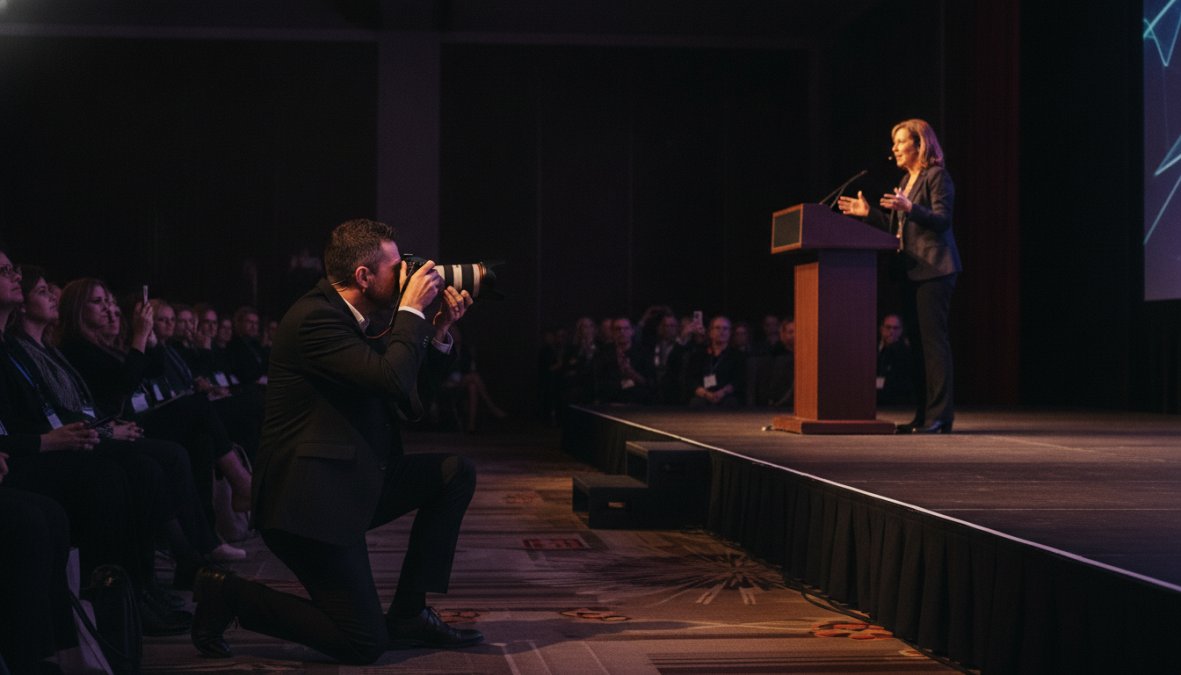
Build your shot list collaboratively with the event organizer at least one week before the event. Divide it into three phases: pre-event setup, main programming, and post-event networking.
Pre-Event and Setup Shots
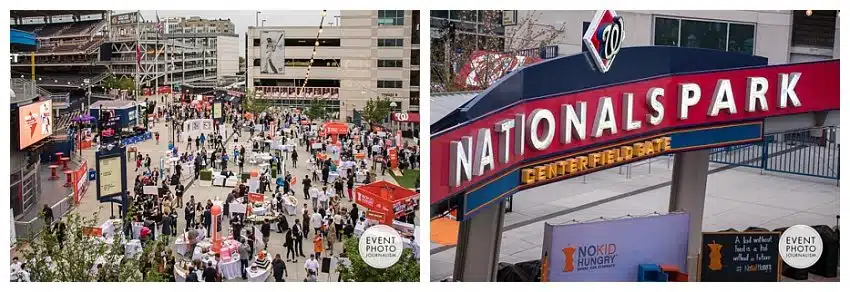
Pre-event documentation is consistently undervalued. These images tell the story of scale and preparation and are exactly what marketing teams need for event recap content.
Key pre-event shots to capture:
- Venue exterior and entrance signage
- Registration tables and branded materials
- Empty stage and AV setup with sponsor signage visible
- Sponsor banners, step-and-repeat backdrops, and branded installations
- Catering and décor details before guests arrive
- Room capacity and layout overview shots
Arrive at least 60 to 90 minutes before doors open. This is the only window you will have for clean, unobstructed access to branded elements.
Keynote Speakers, Panels, and Sponsor Signage
Keynote speakers are the anchor images of any event gallery. Capture the speaker in frame with visible sponsor signage or event branding whenever possible. For panel sessions, vary your angles: wide establishing shots, tight portraits mid-expression, and audience reaction shots for narrative depth.
Sponsor signage documentation is a contractual obligation for many events. Capture every sponsor banner, digital display, and branded element at multiple points throughout the day. Missing their branding is a serious professional failure.
Candid Networking Moments and Attendee Engagement
Candid shots of attendees networking are among the most commercially valuable images from any conference, they show the event as a living community, which is what future attendees and sponsors want to see. Post up near high-traffic areas during breaks and use a longer focal length to capture genuine interactions without interrupting them. A 70-200mm lens at f/2.8 gives you the working distance and background separation to pull this off cleanly.
Event Photography Gear Guide: Cameras, Lenses, and Accessories
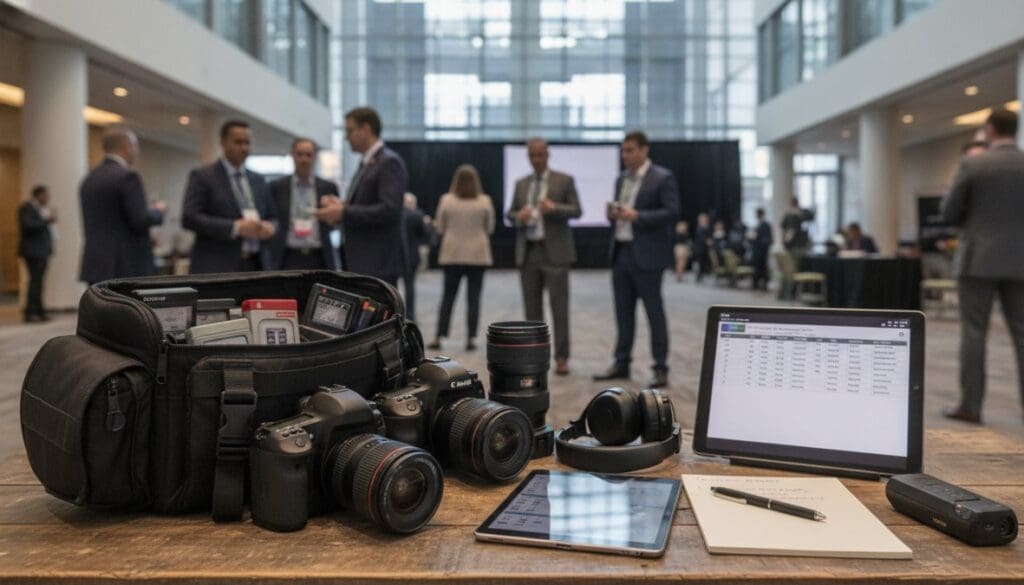
A professional conference kit should be optimized for variable lighting, fast-moving subjects, and the need to work quietly and unobtrusively.
A professional conference kit should include:
- Two camera bodies (one as backup, both capable of high ISO performance)
- 24-70mm f/2.8 lens for general coverage
- 70-200mm f/2.8 lens for speakers and candid moments
- A fast 50mm or 35mm prime as a low-light backup
- Two or three flash units with diffusers
- Extra batteries and memory cards (double what you think you need)
- A monopod for stability during long keynote sessions
The two-body setup is non-negotiable. Camera failures happen, and a missing shot is not recoverable.
The Case for a 24-70mm and 70-200mm Lens Combination
The 24-70mm and 70-200mm combination is the industry standard because it covers every scenario without requiring a lens change at critical moments. The 24-70mm handles room overviews, registration areas, and tight quarters. The 70-200mm is your primary tool for keynote speakers and candid moments. Both at f/2.8 give you consistent exposure settings across the kit.
Keep your 70-200mm on your dominant-hand body and your 24-70mm on the secondary body. You will reach for the telephoto more often during programming, and having it on your primary camera reduces fumbling during fast-moving moments.
Camera Settings and Lighting Techniques for Conference Venues
Conference venues present demanding lighting environments. Ballrooms mix warm tungsten stage lighting with cool fluorescent overheads. Breakout rooms are often underlit. The baseline camera settings for indoor conference photography in 2026:
- Shutter speed: 1/200s minimum to freeze speaker movement; increase to 1/500s for active presenters
- Aperture: f/2.8 for most situations; stop down to f/4 for group shots
- ISO: Start at ISO 1600 indoors; push to ISO 3200 or 6400 on bodies with strong dynamic range performance
- White balance: Custom or Kelvin setting rather than Auto (explained below)
Mastering White Balance and Exposure in Ballroom Lighting
Auto White Balance will shift between frames, creating color casts that are time-consuming to correct in post. Set a custom white balance using a grey card at each new lighting zone, or use a manual Kelvin temperature: approximately 3200K for warm tungsten stage lighting, 4000K-4500K for mixed fluorescent environments. Shoot RAW regardless, which preserves the full dynamic range needed for exposure corrections without quality loss.
Stage lighting creates extreme contrast between the illuminated speaker and the dark audience. Spot metering on the speaker’s face produces the most reliable exposures, avoid evaluative or matrix metering, which will underexpose the subject to compensate for the bright stage background.
According to Professional Photographers of America’s technical resources, RAW capture is the professional standard for event work precisely because it allows post-production recovery of highlights and shadows that JPEG capture cannot.
Managing Client Expectations for Event Coverage
Most client dissatisfaction stems not from bad images but from misaligned expectations about deliverables, turnaround time, and what "full coverage" actually means. The foundation is a detailed written agreement before the event specifying the number of edited images, delivery timeline, file formats, and usage rights.
Communication with Event Organizers Before and During the Event
A pre-event meeting should cover the event schedule, VIP attendees requiring specific coverage, restricted areas, and sponsor documentation requirements. Request the schedule at least 48 hours before the event and build your shot list against it. Identify your primary on-site contact, someone with authority to answer questions and grant access.
During the event, check in at natural transition points: after the opening session, at the lunch break, and before afternoon programming. A 60-second check-in prevents the end-of-day discovery that you missed a critical moment.
Never assume you have access to restricted areas like backstage, VIP lounges, or press areas without written confirmation. Showing up without clearance wastes time and creates friction with event staff at exactly the wrong moment.
Legal and Liability Considerations Every Photographer Should Know
Key legal considerations for conference photographers:
- Model releases: Most corporate event contracts include a blanket release via attendee registration terms. Verify this with your client. For advertising use, individual releases are safer.
- Copyright ownership: Your contract should explicitly state who owns the images. Standard practice is that the photographer retains copyright and grants the client a usage license.
- Venue restrictions: Some venues have their own photography policies. Confirm permissions in writing before the event.
- Data privacy: Images of identifiable individuals are subject to privacy regulations in various jurisdictions.
- Liability insurance: Professional general liability insurance is a baseline requirement. Many venues now require proof of coverage before granting access.
As documented in the Copyright Alliance’s resources for photographers, photographers retain copyright by default under U.S. law, but written contracts supersede default rules, making explicit agreements essential.
Post-Production, AI-Assisted Workflows, and On-Site Image Delivery
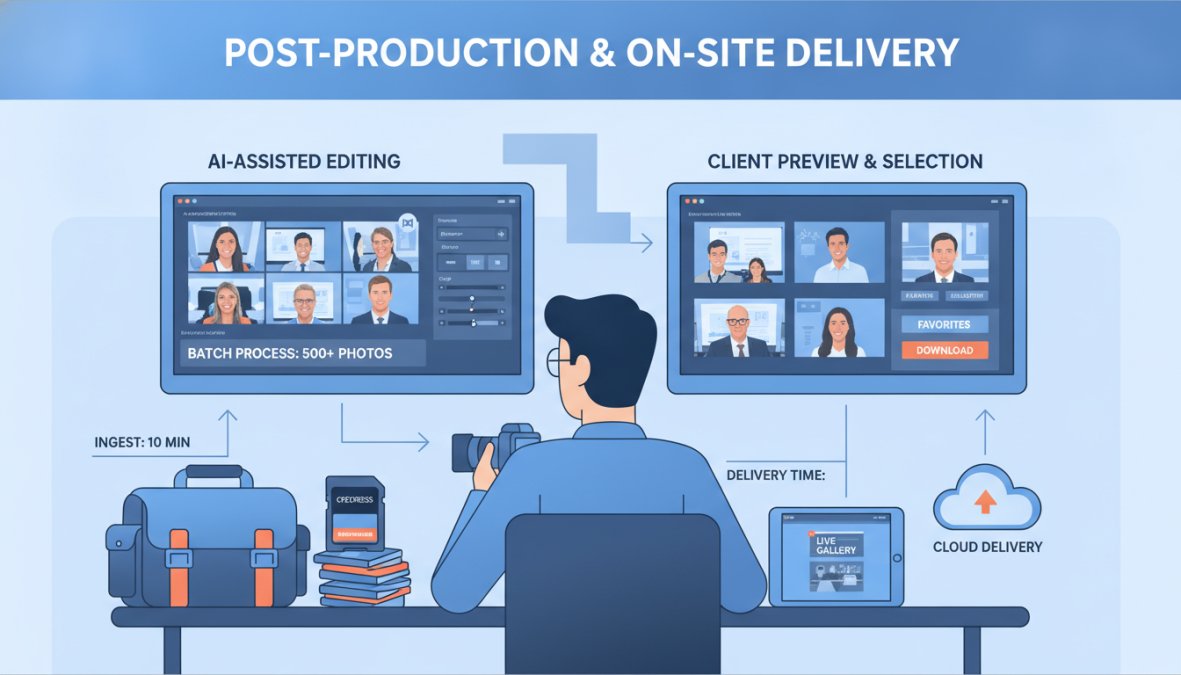
Post-production is where conference photography coverage either gains or loses its commercial value. A well-edited gallery delivered within 48 hours becomes an immediate asset for social media, press outreach, and sponsor reporting. The professional post-production workflow follows four stages: ingest and backup, culling, editing, and delivery.
AI Culling and Editing Tools That Speed Up Delivery
AI-assisted culling and editing have changed the economics of high-volume event photography. A 2,000-image shoot that previously required four to six hours of culling can now be processed in under an hour.
Photo Mechanic (starting at $149.95 one-time purchase) remains the industry standard for rapid culling and metadata tagging. Imagen (starting at $7/month plus a per-image fee) learns your editing style and applies it across an entire gallery in minutes, integrating directly with Adobe Lightroom Classic. Adobe Lightroom (starting at $9.99/month) handles batch editing, color grading, and final export.
| Tool | Starting Price | Primary Function | Best For |
|---|---|---|---|
| Photo Mechanic | $149.95 one-time | Culling and metadata | High-volume ingest |
| Imagen | $7/month + per image | AI batch editing | Style-consistent galleries |
| Adobe Lightroom | $9.99/month | Editing and export | Final color grading |
| Pixieset | Free / $10/month | Client delivery | Branded gallery delivery |
For client delivery, Pixieset offers branded galleries with an excellent client-facing interface. PhotoShelter is the stronger choice for enterprise clients needing secure, permission-controlled access and direct social media distribution.
Real-Time Social Media Delivery During the Event
Corporate clients increasingly expect shareable images during the event itself. The practical workflow for real-time delivery:
- Designate one memory card slot for "hero shots" that you cull and lightly edit between sessions
- Use a laptop or iPad with Lightroom Mobile for quick mobile edits
- Deliver 10 to 20 images via a shared Dropbox folder or direct message within 30 to 60 minutes of each major session
- Use SpotMyPhotos for large conferences where attendees expect personalized photo delivery via AI facial recognition
Build this workflow into your contract, including who approves images before posting and what branding requirements apply. According to Sprout Social’s event marketing research, social media posts published during live events generate significantly higher engagement than post-event recaps, making real-time delivery a meaningful competitive differentiator.
Conference Photography Pricing: What to Expect and How to Budget
Conference photography pricing varies based on event duration, deliverable scope, geographic market, and photographer experience. Common pricing models in the DMV market and nationally:
- Half-day coverage (4 hours): Entry-level photographers start lower; experienced professionals with corporate portfolios command higher rates reflecting reliability and deliverable quality
- Full-day coverage (8 hours): Full-day rates reflect shooting time, pre-event preparation, post-production, and delivery
- Multi-day conferences: Day rates often include a modest volume discount, but post-production costs scale with image volume
- Rush delivery: Same-day or next-day delivery commands a premium, typically 25 to 50 percent above standard rates
- Additional services: Real-time social media delivery, on-site printing, and AI-assisted attendee photo delivery are typically scoped as add-ons
The most common budgeting mistake is treating photography as a line item to cut rather than an investment in marketing assets. A well-documented conference produces images used across channels for 12 to 18 months. For organizations in the Washington DC and Northern Virginia area, Event Photojournalism provides customized coverage packages designed around your specific event scope and timeline.
Applying These Best Practices for Conference Photography Coverage
The best practices outlined here share a common foundation: professionalism is a system, not a talent. Shot lists, pre-event communication, legal agreements, AI-assisted workflows, and real-time delivery are all learnable, repeatable processes. What separates photographers who get rehired is the ability to deliver a complete, usable gallery that serves the client’s actual needs, on time, every time.
Conference Photography Pre-Event Checklist:
- Shot list created and approved by event organizer
- Event schedule obtained and mapped to shot list
- On-site contact identified and confirmed
- Venue access and restricted areas confirmed in writing
- Model release and copyright terms confirmed in contract
- Liability insurance confirmed (and venue certificate of insurance provided if required)
- Camera bodies, lenses, batteries, and memory cards checked and packed
- White balance and exposure baseline settings tested in similar lighting
- Post-production workflow and delivery timeline confirmed with client
- Real-time social media delivery protocol agreed upon (if applicable)
As noted in the American Society of Media Photographers’ professional standards resources, the photographers who build sustainable corporate event businesses are distinguished by their business practices as much as their photographic skills.
Corporate conferences represent some of the most demanding and highest-stakes photography assignments available, and the gap between adequate and excellent coverage is almost entirely a function of preparation and workflow. Event Photojournalism brings award-winning photography, high-resolution delivery, and customized coverage solutions to every corporate conference, gala, and special event across the DMV area. Our team handles the full workflow from pre-event planning through final gallery delivery, ensuring your event is documented with the precision and professionalism your brand deserves. CONTACT US to discuss your upcoming event and receive a customized coverage proposal.
Frequently Asked Questions
What should be included in a conference photography shot list?
A strong conference photography shot list should include: venue and setup details before guests arrive, keynote speakers at the podium, panel discussions and Q&A moments, sponsor signage and branded backdrops, candid networking moments between attendees, award presentations or special ceremonies, group photos of leadership teams, and crowd reaction shots. Share this list with event organizers in advance so nothing is missed and you can align on priorities for the event recap and marketing assets.
What gear is essential for conference photography?
For professional conference photography coverage, you'll typically need a full-frame camera body with strong high-ISO performance, a 24-70mm f/2.8 lens for versatile coverage of panels and crowds, and a 70-200mm f/2.8 lens for capturing keynote speakers from a distance without disruption. A fast prime like a 50mm or 85mm is useful in low ballroom lighting. Bring backup bodies, extra memory cards, and a reliable flash or off-camera lighting kit to handle challenging venue conditions.
How do you handle lighting challenges in conference venues?
Ballroom lighting and stage lighting are among the most difficult conditions in event photography. Set your white balance manually or use a custom preset to ensure color accuracy under mixed lighting. Shoot in RAW files to preserve dynamic range for post-production recovery. Use a wide aperture like f/2.8 to maximize light intake, and raise your ISO carefully, modern cameras handle noise well up to ISO 3200 or higher. Avoid on-camera flash during keynotes; instead, use available stage lighting to your advantage.
How much should you charge for conference photography?
Conference photography pricing varies based on event duration, deliverable volume, travel, and the photographer's experience level. Half-day rates commonly start in the mid-hundreds, while full-day corporate event coverage from an experienced professional can range significantly higher, especially when post-production, expedited delivery, or on-site social media editing are included. Always clarify what's included, number of edited images, turnaround time, licensing rights, and usage, before finalizing any contract.
What are the best ways to deliver conference photos to clients?
Professional delivery platforms like Pixieset, PhotoShelter, or ShootProof allow you to create branded, password-protected galleries for secure client access. For corporate clients who need rapid turnaround for internal communications or social media, consider tools like Imagen for AI-assisted batch editing and SpotMyPhotos for real-time attendee delivery. Always deliver high-resolution files and confirm licensing terms. Establish expected turnaround times in your contract, typically 5 to 10 business days for a fully edited conference gallery.
How do you manage client expectations for conference event coverage?
Managing client expectations starts well before the event. Schedule a pre-event call to review the shot list, event schedule, and access restrictions. Confirm deliverables in writing, number of usable images, editing style, file formats, and delivery timeline. Clarify usage rights and whether the images are for internal communications, marketing assets, or public distribution. During the event, check in with the event organizer at key transitions. Clear communication at every stage prevents misunderstandings and builds long-term client trust.
This article was written using GrandRanker