Table of Contents
- How Long Does Event Photo Editing Take? Understanding Active vs. Total Time
- Factors Influencing How Long Event Photo Editing Takes
- Optimizing Your Event Photography Workflow for Efficiency
- Strategies to Speed Up Photo Editing Without Sacrificing Quality
- AI Photo Editing for Events: Can Technology Reduce Turnaround Time?
- Average Photo Editing Time Per Photo Across Event Types
- The Hidden Time: Administrative Tasks and Post-Production Beyond Editing
- Outsourcing vs. In-House Editing: Impact on Turnaround Time
Last Updated: July 26, 2026
How Long Does Event Photo Editing Take? Understanding Active vs. Total Time
How long does event photo editing take? The answer depends on what you’re measuring. At Event Photojournalism, we’ve learned that most clients ask about turnaround time, but what they really need to understand is the difference between active editing time and total delivery time. Active editing time is the hours spent adjusting colors and perfecting images. Total turnaround time includes culling thousands of raw files, organizing metadata, batch processing, exporting files, and delivering your gallery.
Active Editing Time vs. Turnaround Time
Professional photographers distinguish between two critical timelines. Active editing time refers to actual hours in post-production software making adjustments to individual photos or batches, ranging from 5 to 15 minutes per photo depending on complexity. Turnaround time is the total calendar time from receiving raw files until the client receives final, edited images. This includes culling, reviewing every shot and discarding out-of-focus, poorly composed, or redundant images. For a typical corporate event with 2,000 raw files, culling alone can consume 8 to 12 hours.
Most photographers underestimate hidden time. If you’re quoting clients based on active editing time alone, you’re likely losing money. Factor in culling (30-40% of total time), file management (15-20%), and export/delivery logistics (10-15%).
A photographer might spend 40 active hours editing 1,000 images, but the client might not receive their gallery for two weeks. During that time, the photographer is managing other projects, handling administrative tasks, and waiting for rendering or export processes to complete.
Why the Difference Matters for Client Communication
Transparency about timelines prevents frustration and sets realistic expectations. When you tell a client, "Your photos will be ready in five business days," you’re committing to a turnaround time that includes everything from finishing the shoot until they can download their gallery. Professional event photographers who maintain fast turnaround times have invested in workflow optimization, better hardware, preset libraries, and batch processing systems that reduce active editing time per image while maintaining quality.
Factors Influencing How Long Event Photo Editing Takes
Several variables determine your actual editing timeline. Understanding these factors helps you estimate project duration accurately and identify where efficiency gains are possible.
Image Volume and Raw File Count
The single largest variable is how many photos you shot. A two-hour corporate reception might yield 800 to 1,200 usable images after culling. A full-day conference could produce 3,000 to 5,000 raw files. A wedding might reach 4,000 to 8,000 images.
Each additional image doesn’t add proportional editing time because of batch processing and preset synchronization. However, culling time scales almost linearly with volume. Reviewing, flagging, and deleting images from a 5,000-photo shoot takes roughly five times longer than culling a 1,000-photo event.
Shooting too many images doesn’t improve results; it multiplies editing time. Many event photographers cap their shooting to maintain reasonable turnaround times. A disciplined approach to composition during the shoot reduces the culling burden significantly.
Professional Editing Standards and Client Expectations
What "professional editing" means varies by client and event type. A corporate headshot requires meticulous retouching and color grading. A candid event photo might need only basic exposure correction and white balance adjustment. Client expectations drive editing depth, some want minimal, natural-looking edits while others expect dramatic color grading and skin smoothing.
Photography Niche and Editing Complexity
Wedding photography demands the most intensive editing workflow. Every image needs consistent color grading, skin tones require careful adjustment, and brides expect flawless retouching. A wedding photographer editing 2,000 images might spend 3 to 5 minutes per image, totaling 100 to 165 hours of active editing time.
Corporate event and conference photography is faster. Active editing time drops to 2 to 4 minutes per image. Gala and special event photography falls somewhere in between, at 2 to 3 minutes per image. Conference and trade show photography is the fastest category, at 1 to 2 minutes per image.
Optimizing Your Event Photography Workflow for Efficiency
Faster turnaround times don’t come from working longer hours; they come from systematic workflow optimization. Professional photographers who deliver galleries within 48 to 72 hours have engineered their processes for speed.
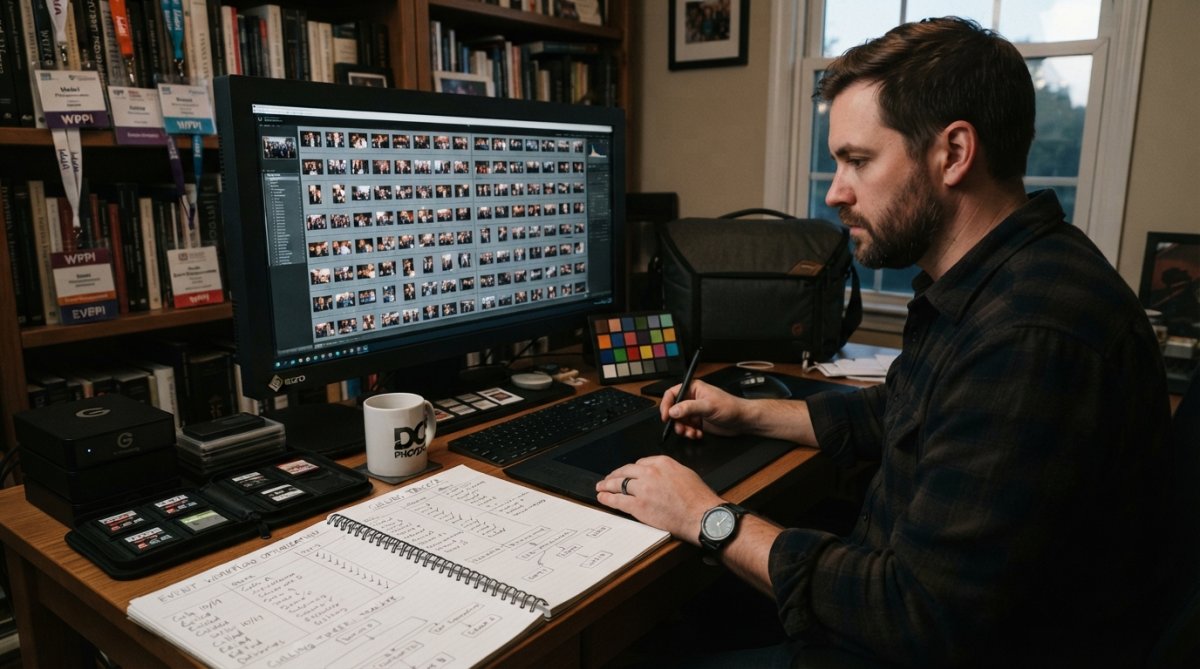
(/what-makes-good-event-photography/) Workflow for Efficiency]
Culling and File Management Best Practices
Culling is where you make or lose time. A disciplined culling process removes 30 to 50 percent of raw files before editing begins, reducing your active editing workload significantly. Start by flagging all technically sound images: sharp focus, proper exposure, no distracting blur. Then make a second pass to identify the best frames and delete everything else.
Organize files into folders by event section or time block. For a conference, separate keynote photos from breakout sessions. This structure makes batch processing more effective because you can apply different presets to different sections, keynote lighting differs from reception lighting. Use consistent naming conventions and metadata from the start, adding event name, date, photographer name, and copyright information to all files before editing begins.
Metadata Organization and Batch Processing
Properly tagged files allow you to batch process similar images with the same preset adjustments, dramatically reducing active editing time. A photographer who spends 30 minutes setting up metadata and batch presets might save 10 to 15 hours in active editing time.
Create a master preset library specific to different event types and lighting conditions. A "corporate daylight" preset, an "evening reception tungsten" preset, and a "stage lighting" preset can be applied to batches of 50 to 200 images at once, requiring only minor individual adjustments afterward. Use Lightroom’s star ratings to mark images that need additional retouching versus those ready to export.
Strategies to Speed Up Photo Editing Without Sacrificing Quality
Professional event photographers have developed specific techniques to accelerate editing while maintaining quality.
Lightroom Presets and Preset Synchronization
Presets are the foundation of fast event photo editing. Rather than adjusting exposure, contrast, saturation, and white balance individually for every image, you apply a preset that handles 80 percent of the work, then make minor tweaks specific to that image.
The most efficient photographers have preset libraries organized by event type, lighting condition, and desired aesthetic. A wedding photographer might have 20 to 40 presets. A corporate event photographer might have 10 to 15. Preset synchronization in Lightroom allows you to apply a single preset adjustment to hundreds of images simultaneously, reducing active editing time from 3 minutes per image to 30 seconds per image for the batch, plus 1 to 2 minutes of individual fine-tuning.
Build your preset library gradually, testing each preset on real event photos before adding it to your workflow. A preset that works for 90% of your images saves time; one that works for 60% actually slows you down.
Color Correction and Retouching Shortcuts
Set white balance in Lightroom’s Basic panel using the eyedropper tool to sample a neutral gray area in your images. This takes 10 seconds per batch and ensures consistency. For retouching, use Lightroom’s adjustment brush and healing tool strategically. Rather than spending 10 minutes perfecting every person’s skin tone, focus on obvious blemishes, stray hairs, and distracting elements. Event photography doesn’t require magazine-cover retouching; clean, professional, minimal edits are the standard.
Keyboard shortcuts accelerate the entire workflow. Lightroom users who memorize shortcuts for rating, flagging, applying presets, and moving between images can edit 30 to 40 percent faster than those using menus.
AI Photo Editing for Events: Can Technology Reduce Turnaround Time?
Artificial intelligence is changing event photo editing workflows. AI-powered tools don’t replace human judgment, but they do automate routine tasks and reduce active editing time on high-volume projects.
How AI-Powered Editing Tools Work
Modern AI editing tools analyze image content and automatically adjust exposure, contrast, color, and even skin tones based on what the algorithm detects. The most practical AI applications for event photographers are batch processing, white balance correction, and exposure leveling. An AI tool that correctly adjusts white balance across 1,000 images saves tremendous time compared to manual adjustment.
However, AI tools struggle with creative decisions. They can’t decide which images tell the best story or how much retouching is appropriate. These judgments still require human expertise.
Manual vs. AI-Assisted Editing: Finding Your Balance
The most efficient event photographers use a hybrid approach: AI tools handle routine corrections across batches, and human editors focus on creative decisions and quality control. A photographer might use AI batch processing to apply white balance and exposure corrections to 1,000 images in 15 minutes, then spend 20 hours on selective retouching and final quality checks. The AI step saves 8 to 10 hours compared to manual white balance adjustment.
The key limitation of current AI tools is that they work best on straightforward images with clear subjects and consistent lighting. Event photos often have mixed lighting and challenging compositions that require human judgment to resolve properly.
Average Photo Editing Time Per Photo Across Event Types
Professional event photographers maintain different editing speeds depending on the event type and client expectations.
Wedding Photography Editing Timelines
Wedding photographers typically spend 3 to 5 minutes per image on active editing. A wedding with 2,000 edited images requires 100 to 165 hours of active editing time, plus 20 to 30 hours of culling, file management, and export work. Total turnaround is typically 2 to 4 weeks, with many photographers delivering within 10 to 14 days.
Corporate Events and Conference Photo Editing
Corporate event photographers typically spend 1 to 2 minutes per image on active editing, with total turnaround times of 3 to 5 business days. A conference with 1,500 images might require 25 to 30 hours of active editing, plus 10 to 15 hours of culling and file management. Corporate event editing emphasizes consistency and clarity, with retouching focused on obvious distractions rather than detailed skin perfection.
Gala and Special Event Editing Requirements
Gala photography falls between corporate events and weddings in editing intensity. Photographers typically spend 2 to 3 minutes per image on active editing, with total turnaround times of 5 to 7 business days. A gala with 1,200 images requires 40 to 60 hours of active editing plus 12 to 18 hours of supporting work. The standard is "polished professional" rather than "magazine perfect."
The Hidden Time: Administrative Tasks and Post-Production Beyond Editing
The gap between active editing time and total turnaround time comes largely from administrative work that clients don’t see but photographers can’t skip.
Exporting, Gallery Delivery, and Client Communication
After editing is complete, exporting high-resolution files from Lightroom takes time. A photographer exporting 1,000 images might spend 4 to 6 hours on this step alone. Gallery delivery platforms add another layer. Whether you’re using cloud storage or a dedicated photography gallery platform, uploading and organizing files for client access takes time. Creating password-protected galleries and ensuring all metadata is properly embedded can consume 2 to 4 hours for a large project.
Catalog Management and High-Resolution File Preparation
Professional photographers maintain organized Lightroom catalogs that grow with every project. Managing these catalogs, archiving old projects, and backing up files is essential but time-consuming. High-resolution file preparation is another hidden step. Clients often want images suitable for different uses: web-optimized versions for social media, print-ready files for publications, and archival-quality masters for long-term storage.
Outsourcing vs. In-House Editing: Impact on Turnaround Time
Some photographers handle all editing in-house, while others outsource to specialized editing services. This decision significantly affects turnaround time and cost structure.
In-house editing maintains complete quality control. However, it limits how many projects a photographer can take on. A solo photographer handling all editing can realistically manage 5 to 8 events per month while maintaining quality.
Outsourcing editing to a specialized service accelerates turnaround dramatically. A photographer can deliver preliminary galleries within 24 to 48 hours by having editing work done by an external team while they’re already shooting the next event. Many professional photographers use a hybrid approach: they handle culling, preset selection, and final quality checks, while outsourcing routine batch processing and basic retouching.
When to Outsource and What to Expect
Outsourcing makes sense when your editing queue exceeds your capacity to deliver within your target turnaround time. Outsourcing typically costs 30 to 50 percent of your photography fee, depending on editing complexity. Clear communication about editing standards, preset preferences, and client expectations is essential.
Hardware and Software Performance: The Workflow Efficiency Factor
The speed of your computer and editing software directly impacts how fast you can work. A photographer with a modern, well-configured computer can edit 30 to 40 percent faster than someone with outdated hardware. Lightroom performance depends on your catalog size, computer RAM, and processor speed. Storage speed also matters. Photographers working with external hard drives experience slower file access than those with fast internal SSDs.
Practical Editing Timeline Calculator
Use this table to estimate editing timelines for your events based on image volume and event type:
| Event Type | Images Captured | Culling Time | Active Editing Time | File Management | Total Calendar Days |
|---|---|---|---|---|---|
| Corporate event (single location) | 600-800 | 6-8 hours | 12-16 hours | 3-4 hours | 2-3 business days |
| Conference (multiple sessions) | 1,500-2,000 | 12-15 hours | 30-40 hours | 5-7 hours | 4-5 business days |
| Gala or special event | 1,000-1,200 | 8-10 hours | 25-36 hours | 4-5 hours | 5-7 business days |
| Wedding (single shooter) | 1,500-2,000 | 15-20 hours | 50-75 hours | 6-8 hours | 10-14 business days |
| Wedding (two shooters) | 3,000-4,000 | 25-35 hours | 100-150 hours | 10-12 hours | 14-21 business days |
This calculator assumes standard professional editing standards, batch processing with presets, and in-house editing. Outsourcing editing can reduce calendar time by 30 to 50 percent but adds cost.
Event photography requires precision, consistency, and speed, qualities that professional photographers develop through careful workflow design. At Event Photojournalism, we understand that clients need their images quickly without sacrificing quality. Our award-winning team in the Washington DC and Northern Virginia area delivers high-resolution edited galleries within the timeframes your event demands. Whether you’re planning a corporate conference, gala, or wedding, our customized approach ensures your images are ready when you need them, with the professional editing standards that elevate your brand and amplify your message. Professional event photography standards and best practices Contact us today to discuss your event photography needs and turnaround time requirements.
Frequently Asked Questions
What factors affect event photo editing time the most?
Image volume is the primary factor, more photos mean longer turnaround times. Professional editing standards, the specific event type (wedding vs. corporate conference), and the complexity of color correction and retouching also significantly impact duration. Additionally, raw file organization, culling efficiency, and your editing software's performance on your hardware can either accelerate or slow the post-production workflow considerably.
How long does it typically take to edit photos from a wedding or corporate event?
Active editing time typically ranges from 3-8 minutes per photo for professional standards, depending on the event type and desired quality level. A 200-photo wedding might take 10-20 hours of active editing, while a corporate conference with similar volume may take 8-12 hours. However, total turnaround time, including culling, file management, exporting, and gallery delivery, often extends to 1-3 weeks, depending on your workflow and workload.
Can AI-powered editing tools actually reduce event photo editing time?
Yes, AI-assisted editing can reduce active editing time by 30-50% for tasks like batch color correction and basic retouching. Tools using AI can quickly apply consistent adjustments across multiple images, though manual refinement is still necessary for professional standards. The real time savings come from automating repetitive tasks like preset synchronization and initial color grading, freeing you to focus on detailed retouching and client-specific adjustments.
What's the difference between active editing time and total turnaround time for event photos?
Active editing time is the hours spent actually editing photos in your software, color correction, retouching, and adjustments. Total turnaround time includes culling raw files, file management, metadata organization, batch processing, exporting high-resolution files, creating gallery delivery systems, and client communication. While active editing might take 15 hours, total turnaround time can be 2-3 weeks due to these administrative and post-production tasks that happen before and after the editing phase.
This article was written using GrandRanker