Table of Contents
- Why Best Photography for Press Releases Matters
- Press Release Image Requirements and Technical Standards
- Types of Press Release Photo Examples That Drive Results
- Hiring a Professional Photographer for Press Releases
- Media Kit Photography Tips and Visual Storytelling
- Technical Metadata and Modern Distribution Strategies
- Image Rights, Copyright, and Legal Considerations
- AI-Generated Imagery in Modern PR: When to Use and When to Avoid
Last Updated: July 5, 2026
When it comes to press releases, the visual component can make or break your media outreach. The best photography for press releases combines technical excellence with editorial authenticity, images that journalists actually want to use and audiences want to see. At Event Photojournalism, we’ve analyzed thousands of press releases to understand what separates forgettable announcements from ones that generate real media coverage.
Why Best Photography for Press Releases Matters
Images are the deciding factor in whether your story gets picked up. Journalists receive hundreds of press releases weekly and make split-second decisions about which stories deserve coverage. A compelling image changes that calculus entirely.
According to research from the Content Marketing Institute, press releases that include relevant images receive 94% more views than text-only releases. More importantly, professional photography establishes visual authority. When a journalist sees a polished, well-composed image, they perceive your organization as credible and professional, stock photography signals the opposite.
Include at least one primary image that shows your product, service, or key announcement in action. Avoid generic corporate portraits. Journalists want to see what your news actually looks like.
Press Release Image Requirements and Technical Standards
Resolution and DPI Standards
Professional press release photography must meet strict technical specifications. The baseline standard is 300 DPI for print publications and 72 DPI for digital. A press release image should be at minimum 1200 pixels on the longest side, ideally 2400+ pixels for flexibility across different publication formats.
High-resolution files prevent the blurry, pixelated appearance that signals amateur work. When an editor opens your image file and sees crisp detail and sharp focus, they perceive your entire announcement as professional.
For press distribution, provide files at 300 DPI minimum when possible. File size typically ranges from 3-8 MB for a single high-quality press release image, which fits within most newsroom email attachment limits.
Never downscale images from smaller files to meet size requirements. If you don’t have high-resolution source files, hire a professional photographer rather than submitting degraded images.
File Format and Size Considerations
JPEG files are the industry standard for press release photography. They compress well without significant quality loss, making them ideal for email distribution. Use JPEG quality settings of 85-95% to balance file size with image clarity.
Keep individual image files under 5 MB. A single high-resolution JPEG typically ranges from 2-4 MB, fitting comfortably within institutional email constraints. Avoid PDF, TIFF, or proprietary formats, journalists expect JPEGs.
Aspect Ratio and Mobile-First Optimization
A 16:9 aspect ratio works well for most digital uses and matches standard video dimensions. This ratio works across websites, email, and social platforms without cropping.
Mobile-first optimization means your image must look compelling on a smartphone screen. Avoid images with critical details at the edges. Center your subject and keep the composition clean.
Types of Press Release Photo Examples That Drive Results
Action Shots vs. Corporate Portraits
Action shots outperform static portraits for press release photography. An image of your CEO speaking at a podium generates more interest than a headshot. A photo of customers using your product tells a better story than a posed team photo.
Action shots show context and demonstrate what your announcement actually looks like in the real world. The hierarchy of effectiveness for press release images:
- Product in use or action (highest impact)
- Event or announcement in progress
- Candid team interaction
- Professional portrait in natural setting
- Formal studio portrait (lowest impact)
Most press releases benefit from 2-3 images: one primary action shot and one or two supporting images that show different angles or contexts.
Logo Placement and Brand Identity
Your logo should appear in at least one image, but placement matters. Never overlay your logo on the primary action shot, it distracts from the visual story.
Create a secondary image that features your logo prominently. This might be a product shot with your logo visible or a branded backdrop at an event. This gives journalists a branded image option while keeping your primary action shot uncluttered.
The best press release images tell a story without relying on text overlays or logos. Your brand identity should be visible but not dominant.
Hiring a Professional Photographer for Press Releases
What to Look for in a Press Release Photographer
A press release photographer isn’t the same as a wedding photographer or portrait studio. You need someone who understands editorial standards, newsroom workflows, and what journalists actually use.
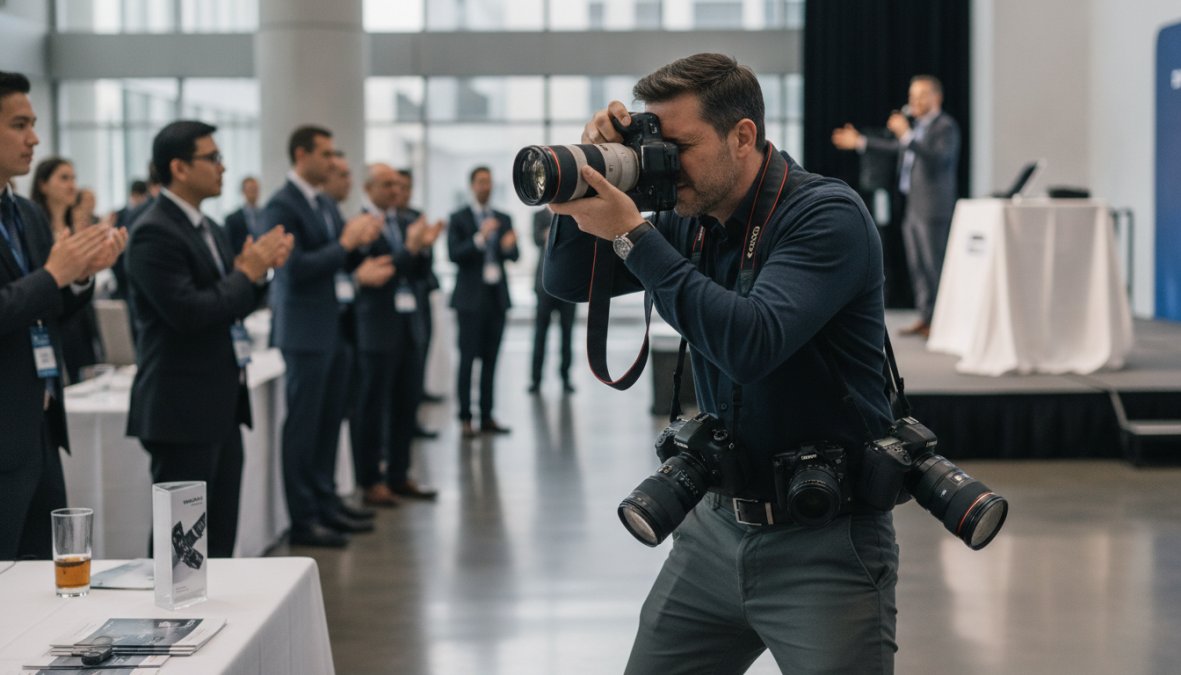
Look for photographers with a portfolio of corporate event coverage, product photography, and press-ready work. Ask about their experience with press distribution. Do they understand metadata requirements? Can they deliver files in the formats journalists need?
Event Photojournalism specializes in award-winning photography for corporate events, product launches, and announcements across the DMV area. The team understands newsroom requirements and delivers customized solutions designed to maximize media attention.
Your photographer should shoot in RAW format and have professional post-processing skills. They should deliver images with proper color correction, exposure, and sharpness optimized for both print and digital distribution.
Editorial Quality vs. Stock Photography Pitfalls
Stock photography is tempting because it’s cheap, but journalists and audiences recognize stock images immediately. A generic photo of people in business attire signals that your announcement isn’t important enough to warrant professional coverage.
Editorial quality means authentic, specific imagery tied directly to your announcement. It means real people, real events, real products, images that couldn’t be used for any other company’s announcement.
The cost difference is often smaller than expected. A professional photographer for a half-day event typically costs 20-40% more than a premium stock photo subscription, but the return on investment is exponentially higher because editorial images actually drive media coverage.
Media Kit Photography Tips and Visual Storytelling
Creating a Cohesive Visual Narrative
Your media kit should include 4-6 images that represent different angles of your announcement. Include at least one action shot, one product/service shot, one team or leadership shot, and one environmental shot.
Cohesion comes from consistent lighting, color palette, and composition style. All images should feel like they were shot on the same day by the same photographer.
Visual storytelling means your images should answer key questions: What is the product or service? How is it used? Who benefits from it? Each image should contribute to answering one of these questions.
Captioning and Image Metadata Optimization
Every press release image needs a caption describing what the image shows in 1-2 sentences. Include relevant context: names of people, product names, event details, and location.
Image metadata is invisible to readers but critical for journalists and search engines. Use IPTC data fields to include:
- Title: Brief description of the image
- Keywords: 5-10 relevant terms
- Copyright: Your organization’s name and photographer credit
- Description: 1-2 sentence caption
Technical Metadata and Modern Distribution Strategies
EXIF and IPTC Data for Newsroom Distribution
EXIF data captures camera and shooting information. Journalists don’t typically see EXIF data, but IPTC data matters for press distribution. IPTC fields include copyright, keywords, description, and creator information.
Before distributing press release images, verify that IPTC fields are populated correctly. Include your organization name in the copyright field, photographer name in the creator field, and relevant keywords.
Cloud Storage vs. Email Attachments for Media Outreach
Cloud storage solutions like Dropbox or Google Drive solve email attachment problems. You can share a folder containing all press release images, metadata, and supporting documents without email constraints.
Specialized platforms like PR Newswire and Cision offer integrated distribution that sends your press release and images directly to journalist contacts. For smaller announcements, a simple shared folder works well. For major announcements targeting hundreds of journalists, use a professional distribution platform.
Always include a text file with image captions and metadata alongside your image files. This saves journalists time and increases the likelihood they’ll use your images correctly.
Image Rights, Copyright, and Legal Considerations
When you hire a photographer, clarify who owns the images. Most work-for-hire arrangements mean you own the images and can distribute them freely. For press distribution, you need unrestricted rights to share images with journalists and media outlets.
Include a statement in your media kit: "Photos are available for editorial use in conjunction with coverage of this announcement. Please credit [Photographer Name]."
If you’re using stock photography, verify the license allows editorial use and republication. Model releases are required when people’s faces are recognizable. Best practice is to get written consent from anyone whose face appears prominently in your images.
AI-Generated Imagery in Modern PR: When to Use and When to Avoid
AI-generated imagery has become technically impressive, but it carries real risks for press releases. Journalists and audiences increasingly recognize AI-generated images, and using them damages credibility when discovered.
Press releases announce real news. Real events, real products, real announcements require real photography. AI-generated images undermine that authenticity.
There are narrow use cases where AI imagery makes sense: announcing future product concepts or illustrating abstract concepts. But for announcing actual products, events, or organizational news, real photography is non-negotiable.
If you choose to use AI imagery, disclose it clearly: "Conceptual renderings created with AI" or "Illustrative image generated with AI technology." The safest approach is simple, use professional photography for press releases. Real images of real announcements build media relationships and drive coverage.
Press release photography is one of the highest-ROI investments in your media strategy. Professional, high-resolution images increase publication rates, expand media reach, and establish visual authority. Event Photojournalism delivers award-winning photography specifically designed for press distribution, with high-resolution files optimized for newsroom workflows. CONTACT US to discuss your next press announcement and discover how professional photography transforms media coverage.
Frequently Asked Questions
What are the best press release image requirements for distribution to journalists?
High-resolution images for press releases should meet 300 DPI minimum for print and 72 DPI for digital distribution. File size should be between 2-5 MB in JPEG or PNG format. Images must be at least 1200×800 pixels for web use and support standard aspect ratios (16:9 or 4:3). Include proper image metadata with IPTC tags containing caption, copyright, and photographer credit information to ensure journalists can easily identify and use your assets across PR Newswire and other media distribution channels.
Should I use stock photos or hire a professional photographer for my press release?
Professional photography is strongly recommended over stock photos for press releases. Journalists and media outlets prefer authentic, original imagery that reflects your actual event or product. Stock photography can appear generic and may be used by competitors, reducing your editorial quality and credibility. If budget constraints require stock photos, use curated sources like Vecteezy or Unsplash with proper model releases. However, a professional photographer delivers customized visual storytelling that amplifies your message and maximizes media attention far more effectively than generic stock imagery.
What types of images should I include in my media kit for maximum impact?
Your media kit should include a diverse mix: high-quality action shots showing your product or event in context, corporate portraits of key executives with proper logo placement, and lifestyle imagery that demonstrates brand identity. Include 5-10 images in various aspect ratios to accommodate different publication formats. Ensure all images support your visual storytelling narrative and align with your corporate photography standards. Add detailed captions with EXIF metadata for each image, and organize assets in a cloud storage solution rather than email attachments for easy journalist access through your press kit.
How do I optimize press release photos for mobile and digital distribution?
Mobile-first optimization requires images that look compelling at smaller screen sizes. Use aspect ratios of 16:9 or 1:1 for social media compatibility. Compress files to 200-500 KB for fast loading without sacrificing quality. Ensure text overlays remain readable at mobile resolution and avoid cluttered compositions. Test your images on multiple devices before distribution. When using cloud storage for media outreach, provide multiple file versions, high-resolution for print, optimized web versions for digital, and square formats for social sharing. This approach ensures journalists can use your assets across any distribution channel.
This article was written using GrandRanker