
Table of Contents
- Planning and Preparation for Event Photography for Social Media
- Best Practices for Capturing Event Photography
- Real-Time Social Media Workflow for Event Coverage
- How to Edit Event Photos for Instagram and Social Platforms
- Using Event Photos to Build Social Proof and Brand Engagement
- Legal and Privacy Considerations for Event Photography
- Optimizing Your Social Media Strategy for Event Photos
- Conclusion
Event Photography for Social Media: A Complete Guide
Last Updated: July 6, 2026
Event photography for social media has become essential for brands building authentic connections with audiences. Whether capturing a corporate conference, gala, or celebration, transforming live moments into compelling social content determines how your event resonates beyond the venue. According to Hootsuite’s 2026 Social Media Trends Report, event-based content drives 3.5x higher engagement than promotional posts. But capturing great photos is only half the battle, the real challenge is capturing them for Instagram, LinkedIn, TikTok, and your website simultaneously while maintaining visual identity and delivering content in real time.
Below, we’ll show you how to plan, shoot, edit, and distribute event photos that build social proof, humanize your brand, and turn attendees into advocates.
Planning and Preparation for Event Photography for Social Media
Success starts before you arrive at the venue. Teams that invest two hours in planning capture 40% more usable moments and waste 60% less time during the shoot.
Creating Your Event Photography Shot List
A shot list prevents you from missing critical moments and ensures you capture what your client needs for social media. Your list should include arrival and setup, key speakers and presentations, networking moments, branded elements, food and beverages, closing moments, and detail shots. Ask the event organizer: "What three moments absolutely must be captured?" Their answer becomes your priority shots.
Equipment and Technical Setup
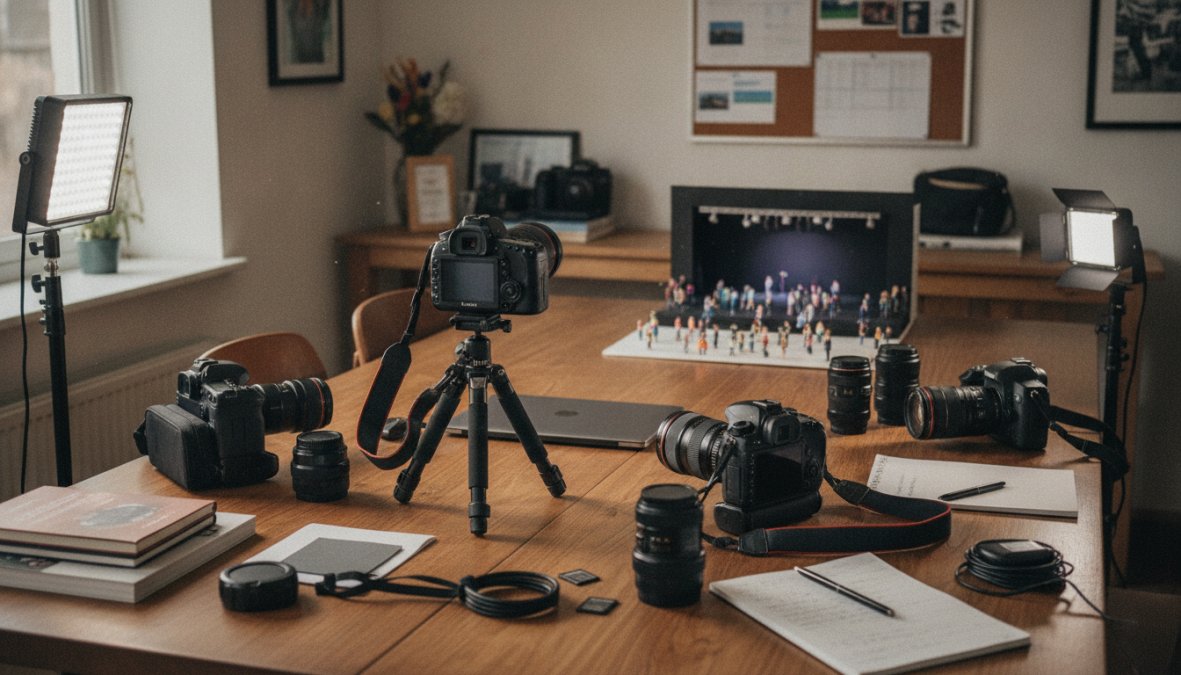
Event photography demands reliable equipment that performs in unpredictable lighting. Essential gear includes two camera bodies for redundancy, a wide-angle lens (16-35mm), standard zoom (24-70mm), telephoto lens (70-200mm), fast prime lens (50mm f/1.8 or 35mm f/1.4), external flash with diffuser, tripod or monopod, and extra batteries and memory cards.
Shoot in aperture-priority mode (f/2.8 to f/5.6) with ISO set to auto with a maximum of 3200. Set white balance to "Cloudy" or create a custom white balance from the venue’s lighting to prevent color casts.
Best Practices for Capturing Event Photography
Professional event coverage follows specific principles that separate strong images from forgettable ones. Capture moments unfolding, not moments posed, attendees know when a camera is pointed at them, and their behavior changes.
Capturing Photos from Multiple Angles
Multiple angles tell the complete story. Professional photographers reposition constantly to capture the same moment from different perspectives. Identify the action before it happens, position yourself for the wide shot first, move closer for the medium shot, get the close-up, and capture the reaction. The goal is 5-8 variations of the same moment so you can choose the strongest version for each platform.
Documenting Candid Moments and Shared Experiences
Candid moments reveal authentic brand storytelling. Position yourself where action is likely to happen and wait. Use your telephoto lens to capture genuine moments from a distance without influencing behavior. The best candid moments come from networking conversations, reactions to presentations, breaks and informal moments, celebration moments, and transition moments. These reveal the true value of the event and show that attendees are engaged and connections are forming.
Real-Time Social Media Workflow for Event Coverage
The expectation of instant delivery has transformed event photography. Attendees expect to see photos within hours, sometimes minutes. This requires workflow optimization, platform-specific formatting, and a clear content calendar.
Live Posting and Instant Delivery Strategies
Live posting requires a prepared social media schedule with drafted captions, a mobile editing workflow using a laptop or tablet at the venue, a content distribution plan, and a backup internet connection. Shoot in RAW format but edit to JPEG for immediate posting. Instead of spending 30 minutes per image, spend 3-5 minutes adjusting exposure, color temperature, contrast, and sharpness. Many teams find that having two photographers helps, one captures while the other edits and posts.
When attendees see themselves on social media within an hour of the moment happening, it creates immediate social proof and encourages organic amplification.
Platform-Specific Aspect Ratios and Formatting
Every platform demands different dimensions. Instagram Feed Posts use 1.91:1 aspect ratio (1080px × 566px). LinkedIn and Facebook use 1.2:1 aspect ratio (1200px × 627px). TikTok and Instagram Reels use 9:16 aspect ratio (1080px × 1920px). Twitter/X uses 16:9 aspect ratio (1024px × 576px). Pinterest uses 1000px × 1500px (2:3 aspect ratio).
Frame your subject in the center with breathing room on all sides. When you post to Instagram, crop tighter. When you post to LinkedIn, include more environmental context. Create a template in your editing software with guides for each platform to ensure consistency.
How to Edit Event Photos for Instagram and Social Platforms
Event photos need strategic enhancement that makes moments pop while maintaining authenticity. The goal is subtle enhancement: corrected exposure, accurate colors, and slightly increased contrast and clarity.
AI-Assisted Editing for Fast Turnaround
AI-assisted editing tools cut editing time in half while improving quality. Tools like Adobe’s Super Resolution, Lightroom’s AI enhancement, and Topaz Sharpen AI excel at exposure correction, white balance correction, noise reduction, sharpening, sky enhancement, and upscaling. For a typical event with 300-400 images, AI assistance can cut editing time from 10-12 hours to 4-6 hours while producing consistent results. Use AI for technical corrections, then apply your creative vision on top.
Maintaining Visual Identity Across Posts
Your event photos should look like they belong to your brand. Choose a consistent color grade that represents your brand, decide on baseline contrast and clarity, pick a saturation style, frame images similarly, and create a Lightroom preset that embodies your brand’s visual style. This consistency makes your event photos instantly recognizable and builds brand recognition.
Using Event Photos to Build Social Proof and Brand Engagement
Event photos are powerful social proof assets showing real people at real events experiencing real value. They prove your organization is active and that the experience is worth attending.
Humanizing Your Brand Through Professional Photography
Humanization happens through genuine expressions, diversity and inclusion, leadership visibility, attendee focus, and candid moments over posed shots. Encourage sharing by tagging attendees, using branded hashtags, crediting attendees by name, and creating shareable moments. Attendees are more likely to share if they see themselves or colleagues in the photo.
Legal and Privacy Considerations for Event Photography
Include photography consent language in your event registration: "By attending this event, you consent to photography and the use of your image in marketing materials." For featured photos, get explicit written consent. Always get parental consent before photographing children. Respect privacy boundaries and avoid posting photos that could be misinterpreted. For international events, assume GDPR applies and get explicit consent.
Optimizing Your Social Media Strategy for Event Photos
Event photos are only valuable if distributed strategically. Distribution strategy should align with your goal: driving attendance, building brand awareness, demonstrating capability, or humanizing your brand.
Creative Ways to Repurpose Event Photography Content
A single event photo can become dozens of pieces of content. Create quote graphics overlaying speaker quotes on photos, carousel posts telling the event story, before/after comparisons showing impact, attendee spotlights featuring individual attendees, behind-the-scenes content, video clips for TikTok and Reels, blog post illustrations, email marketing content, print materials, and website features. Vary the context and message so the same photo reaches different audiences with different messages.
Measuring Engagement Metrics and Organizational Impact
Track social media engagement (likes, comments, shares, saves), reach and impressions, click-through rates, website traffic using UTM parameters, email engagement, attendee feedback, future event registration, and brand sentiment. The most important metric is organizational impact: Are event photos driving attendance at future events? Are they building your brand’s reputation? Are they generating leads or sales?
Event photography is a core component of modern event marketing. The brands winning in 2026 capture authentic moments, distribute them strategically across platforms, and measure impact on their business. Event Photojournalism specializes in award-winning event coverage that transforms your event into social assets building engagement and driving attendance. Contact us to discuss how professional event photography can elevate your next event.
| Strategy | Platform | Best For | Frequency |
|---|---|---|---|
| Live posting | Instagram Stories, LinkedIn | Real-time engagement during event | Every 30-45 minutes |
| Candid moments | Instagram Feed, LinkedIn | Building social proof | 2-3 posts per day after event |
| Speaker highlights | LinkedIn, Twitter | Professional audience | 1 post per speaker |
| Attendee spotlights | Instagram, LinkedIn | Driving attendee engagement | 3-5 posts per week post-event |
| Quote graphics | Pinterest, Instagram | Long-term reach and shares | 5-10 posts over 2-3 weeks |
| Carousel stories | Instagram, LinkedIn | Comprehensive event narrative | 1-2 posts per week post-event |
Frequently Asked Questions
What makes a good event photo for social media?
Strong event photography for social media captures authentic moments that showcase shared experiences and humanize your brand. Look for candid interactions between attendees, clear visibility of key moments, and proper lighting that translates well to digital platforms. Professional photography that demonstrates organizational capability and brand engagement builds social proof more effectively than amateur snapshots. High-resolution images with proper composition ensure your visual storytelling resonates across all social channels.
How do you organize an event photography shot list for social media?
An effective event photography shot list prioritizes moments that drive engagement metrics and brand promotion. Structure it by event phases: arrival/setup, key speakers or presentations, attendee interactions, awards or highlights, and closing moments. Include specific shots of signage, products, or branded elements. Categorize shots by content type needed for social media, individual portraits, group photos, action moments, and detail shots. This planning ensures fast turnaround when editing and posting in real-time, maximizing instant delivery of fresh content to your audience.
How do you edit event photos for Instagram and maintain fast turnaround?
AI-assisted editing tools streamline the workflow for quick turnaround on event coverage. Start by batch-processing photos with consistent color grading and exposure adjustments to maintain visual identity across posts. Resize images to platform-specific aspect ratios, square (1:1), vertical (4:5), and landscape (16:9), before uploading. Use preset filters aligned with your brand voice, then add captions and hashtags that highlight the event's key moments. This systematic approach enables instant delivery of polished digital assets while preserving the authenticity that builds audience engagement.
What legal and privacy considerations apply to event photography for social media?
Always obtain written consent before photographing attendees at events, especially for corporate conferences and galas where proprietary information may be visible. Review your venue's photography policies and event host agreements. Ensure releases comply with platform terms, some events restrict commercial use or require anonymizing certain attendees. When posting in real-time, avoid capturing sensitive discussions, confidential presentations, or individuals who opted out of photography. Document your consent process and maintain records for liability protection, particularly for award ceremonies and luxury celebrations where attendees expect privacy.
This article was written using GrandRanker