
Table of Contents
- Why Event Photos Are a Powerful Marketing Asset
- Legal Foundations: Consent, Privacy, and Your Event Photo Release Form Template
- How to Use Event Photos for Marketing on Social Media
- Building Social Proof and Humanizing Your Brand Identity
- How to Use Event Photos for Marketing Beyond the Event Day
- Shot Lists, Professional Photography, and Accessibility at Your Event
- Best Tools for Event Photo Management
- Conclusion
Last Updated: May 27, 2026
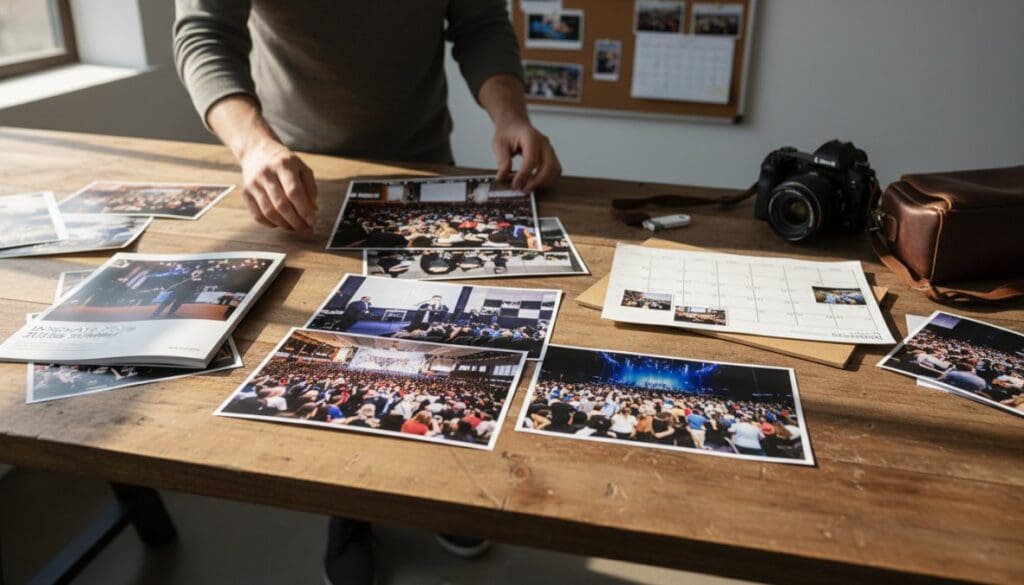
Knowing how to use event photos for marketing is one of the most underutilized advantages available to organizations running conferences, galas, product launches, and corporate events. At Event Photojournalism, we work with brands across the DMV area who invest thousands in live events but leave the visual assets sitting in a shared drive, untouched, for months. That gap between capturing great images and actually deploying them as marketing collateral is where most event ROI gets lost. Below, we’ll show you exactly how to close that gap, from legal foundations through AI-assisted repurposing.
Here’s what most guides get wrong: they treat event photography as documentation rather than a content engine. A single well-executed corporate event can generate visual assets that fuel social media, email campaigns, sales decks, and landing pages for an entire quarter. The strategies we cover here have helped organizations transform one event day into a sustained content library that drives brand awareness long after the venue clears out.
Why Event Photos Are a Powerful Marketing Asset
Event photography is a direct source of social proof, brand humanization, and visual storytelling that no studio shoot can replicate. Candid images of real attendees, genuine reactions, and authentic moments carry a credibility that polished product shots simply cannot match. When a prospective client sees your team presenting to a room full of engaged professionals, that image does more persuasion work than a paragraph of copy.
The strategic value compounds quickly. A single corporate event produces images that serve multiple channels simultaneously: website hero sections, social media posts, email headers, press releases, and sales presentations. Organizations that build a systematic approach to repurposing content from events consistently extend their audience reach without proportionally increasing their content budget.
Visual assets from events also anchor brand identity over time. Recurring imagery of your team in action, your community gathering, and your mission in motion creates a visual narrative that differentiates you from competitors who rely solely on stock photography. According to Content Marketing Institute’s research on visual content strategy, organizations that prioritize original visual content report stronger audience engagement than those using generic imagery.
The opportunity is real, and it’s larger than most marketing teams acknowledge.
Legal Foundations: Consent, Privacy, and Your Event Photo Release Form Template
Before any image goes public, the legal groundwork must be solid. Many organizations skip this step and publish freely, only to face complaints or removal requests from attendees who did not expect to appear in branded marketing materials. Getting consent right protects your brand and respects your guests.
What to Include in a Guest Consent Waiver
An event photo release form template should cover four core elements: the scope of use, the duration of use, the platforms where images may appear, and whether compensation is involved. A basic waiver should state that the attendee grants the organization permission to use their likeness in photographs and video for marketing and promotional purposes across digital and print channels.
Practical checklist for your consent form:
- Full name of the attendee and signature line
- Event name, date, and location
- Explicit list of intended uses (social media, website, email marketing, press)
- Duration clause (perpetual or time-limited)
- Statement confirming no compensation is provided or describing any compensation
- Contact information for questions or revocation requests
For large events, embed consent language directly into the registration process. A checkbox during online registration, combined with signage at the venue entrance, creates a defensible dual-consent record.
For corporate events where attendees register in advance, add consent language to the registration confirmation email as a separate acknowledgment step. This creates a timestamped digital record that is far easier to produce than paper waivers collected at the door.
Publicity Rights and Privacy Expectations at Corporate Events
Publicity rights govern an individual’s control over commercial use of their image. These rights vary by jurisdiction, but the general principle holds: using someone’s likeness to imply endorsement of a product or service without consent creates legal exposure. Corporate events add complexity because attendees may include clients, partners, or competitors who have heightened privacy expectations.
The FTC guidelines on endorsements and testimonials also apply when event photos are used in ways that imply attendee endorsement of your organization. If an image of a client appears next to a product claim, that framing can trigger disclosure requirements.
Private spaces within events, such as breakout rooms or VIP areas, carry stronger privacy expectations than general session floors. Brief your photographer on which areas are off-limits for marketing use and document those boundaries in your shot list.
How to Use Event Photos for Marketing on Social Media
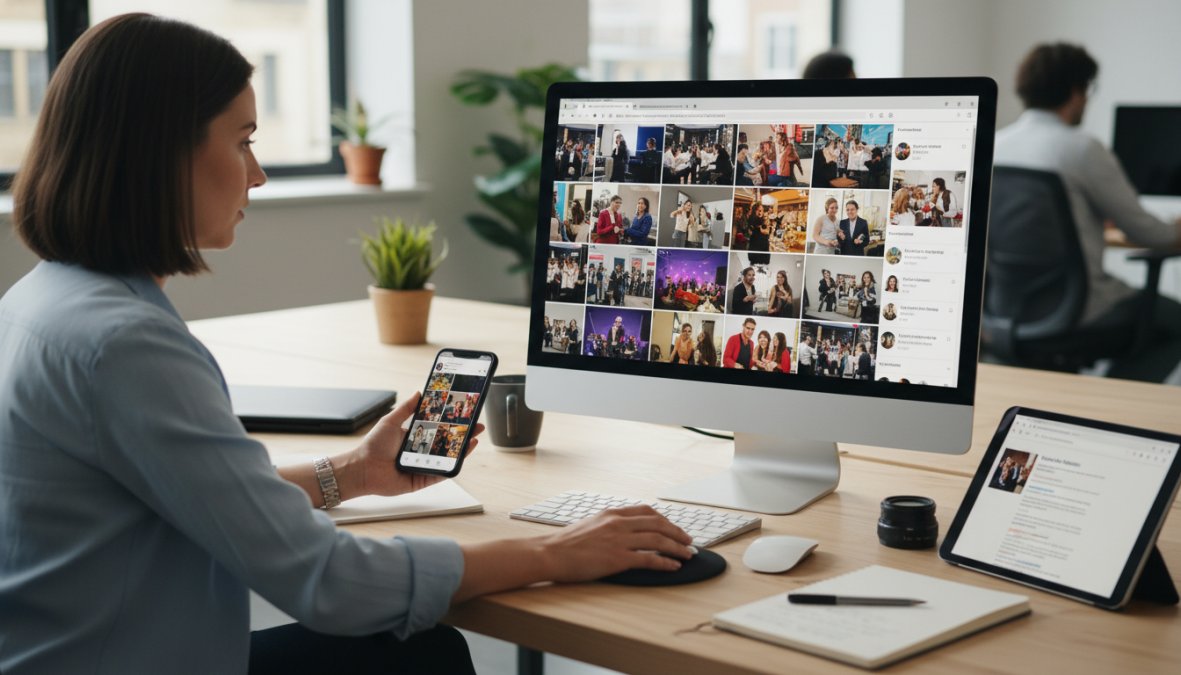
Social media is the highest-velocity channel for event photography, and the window for peak engagement is narrow. Posts published within 24 hours of an event consistently outperform those published days later, when audience attention has shifted. The goal is to have a publishing plan ready before the event starts, not after.
Social Media Post Ideas for Events That Drive Attendee Engagement
Social media post ideas for events fall into three timing categories: pre-event teasers, live coverage, and post-event recaps. Each serves a different function in your marketing strategy.
Pre-event: Behind-the-scenes setup shots, speaker previews, and venue walkthroughs build anticipation. These posts prime your audience and drive last-minute registrations.
Live coverage: Real-time images of keynote moments, crowd reactions, and networking interactions create FOMO and amplify attendee engagement. Tag speakers and sponsors to extend organic reach.
Post-event recaps: Curated galleries, highlight reels, and quote cards from sessions extend the event’s life on social channels. These posts also serve as social proof for future event registrations.
User-generated content deserves a dedicated strategy. Create a branded event hashtag and actively repost attendee images. UGC functions as visual testimonials and costs nothing to produce.
Platform Sizing, Metadata, and SEO for Event Images
This is the part most guides skip entirely, and it costs organizations significant search visibility. Every image published online carries metadata that search engines read. Filling in alt text, file names, and captions with descriptive, keyword-relevant language turns your event photography into an SEO asset.
Practical metadata rules:
- Rename image files before uploading (e.g.,
dc-corporate-conference-keynote-2026.jpginstead ofIMG_4823.jpg) - Write alt text that describes the scene and includes relevant terms naturally
- Add captions on your website that provide context search engines can index
- Compress images for web delivery without sacrificing quality, since page load speed affects search rankings
Platform sizing matters for presentation quality. Images cropped incorrectly appear unprofessional and reduce engagement. A consistent sizing guide ensures your visual assets look intentional across every channel.
| Platform | Recommended Image Size | Best Format |
|---|---|---|
| Instagram Feed | 1080 x 1080 px (square) or 1080 x 1350 px | JPG |
| 1200 x 627 px | JPG or PNG | |
| 1200 x 630 px | JPG | |
| Twitter/X | 1600 x 900 px | JPG or PNG |
| Email Header | 600 x 200 px | JPG |
Building Social Proof and Humanizing Your Brand Identity
The most persuasive marketing content shows real people having real experiences with your organization. Event photography delivers exactly that, but only when you deploy it with intention. Publishing a candid crowd shot without context is not social proof. Social proof is a specific psychological mechanism: a prospective buyer observes that people similar to them have already made a positive decision about your organization, and that observation reduces their perceived risk of doing the same. Event photography is the most efficient raw material for triggering that mechanism, but the image alone does not do the work. The framing, caption, and placement do.
The Three Layers of Social Proof in Event Photography
Not all event images carry equal persuasive weight. Understanding the hierarchy helps you prioritize which shots to feature in high-stakes placements like landing pages and sales decks versus lower-stakes placements like Instagram Stories.
Layer 1, Volume signals. Wide establishing shots that show a full room, a packed registration line, or a standing-room keynote communicate scale. The implicit message is: enough people found this worth attending that the room filled. These images belong on event landing pages for future registrations, where the primary conversion barrier is "is this event worth my time?"
Layer 2, Peer recognition signals. Images of attendees who visibly match your target buyer profile, by industry, role level, or professional context, create identification. A prospective client who sees someone who looks like them, in a role like theirs, engaged and present at your event, experiences a specific form of social proof that a generic crowd shot cannot replicate. This is why your shot list should explicitly include images of attendees in professional conversation, not just passive audience shots.
Layer 3, Implicit endorsement signals. Candid images of clients, partners, or known figures interacting positively with your team or your content function as visual testimonials. An image of a recognized client laughing during a workshop, or a partner organization’s logo visible in a networking photo, carries endorsement weight without requiring a formal quote. These images are most effective in email nurture sequences and sales presentations, where the audience is already evaluating your credibility.
Humanization Is a Structural Decision, Not a Tonal One
Brand humanization through event photography is not achieved by posting more candid images. It is achieved by making a structural decision about which images anchor your most visible brand touchpoints.
Most organizations make the mistake of using polished headshots and stock photography on their homepage, their LinkedIn company page, and their email signatures, the highest-traffic brand surfaces, while reserving event photography for social media posts that disappear within 48 hours. This inverts the logic. The surfaces that receive the most sustained attention from prospective buyers should carry the most humanizing imagery.
A practical restructuring:
- Homepage hero section: Replace stock imagery with a rotating selection of your three strongest event photos from the past 12 months. Update quarterly.
- About page: Use event photography to show your team in context, presenting, facilitating, collaborating, rather than posed portraits against a neutral background.
- LinkedIn company page banner: A high-quality event photo showing your team or community in action outperforms a branded graphic on click-through rates in most B2B contexts.
- Email signature: A small, well-cropped event image linked to your event recap page keeps the humanization signal active in every outbound communication.
Visual Testimonials: The Mechanics of Implicit Endorsement
A visual testimonial is an event photograph that functions as an endorsement without requiring a formal quote. The mechanism works because viewers interpret the presence of a recognizable or credible person at your event as a signal of organizational legitimacy.
To deploy visual testimonials effectively:
- Identify the images. After each event, flag any photograph featuring a client, partner, speaker, or industry figure who has given consent for marketing use. These are your highest-value assets.
- Write context-forward captions. The caption should name the person (with their permission), their role or organization, and the specific moment captured. "[Name], [Title] at [Company], during the afternoon workshop on [Topic]" is more persuasive than "Networking at our annual conference."
- Place them at decision points. Visual testimonials perform best immediately before a call to action, on a registration page, in a proposal document, or in the final email of a nurture sequence.
- Pair with a text testimonial when possible. If the person in the image has also provided a written quote, place the quote adjacent to their event photo. The combination of a recognizable face and a specific endorsement statement is significantly more persuasive than either element alone.
The most effective brand humanization content comes from candid event photography, not posed portraits, but the placement of that photography matters as much as the image quality. Audit your highest-traffic brand surfaces and replace stock imagery with your strongest event shots before your next event cycle begins.
Measuring Whether Your Social Proof Strategy Is Working
Social proof is not a soft metric if you measure it correctly. Track these specific indicators to evaluate whether your event photography is doing persuasion work:
- Landing page conversion rate before and after adding event photography to the hero section or testimonial block
- Email click-through rate on campaigns that feature event images versus text-only or stock-image campaigns in the same sequence
- LinkedIn post engagement rate on event photography posts versus branded graphic posts over a rolling 90-day period
- Time on page for event recap pages compared to standard blog posts of similar length
These comparisons will not give you a universal benchmark, but they will give you your organization’s specific signal on whether authentic event imagery is outperforming your current visual defaults. Most marketing teams that run this comparison find the gap is larger than expected.
How to Use Event Photos for Marketing Beyond the Event Day
The event day is the beginning of your content cycle, not the end. Organizations that treat event photography as a one-time social post miss the compounding value of a well-managed content library. The images you capture today should still be generating leads six months from now.
Post-Event Email Marketing Integration
Post-event email marketing is one of the highest-ROI applications of event photography, and it is consistently underused. A well-timed email sequence that includes curated event images can re-engage attendees, nurture leads who registered but did not attend, and introduce your brand to prospects who received a forward.
A practical post-event email sequence looks like this:
- Day 1 – Thank You Email: Send a personal note with 2-3 highlight images. Keep it short. The goal is warmth, not promotion.
- Day 3 – Recap Email: Share a curated gallery or a link to your event landing page with full coverage. Include key takeaways from sessions.
- Day 7 – Follow-Up Email: Use specific images to anchor a call to action, such as registering for the next event or scheduling a consultation.
- Day 30 – Nurture Email: Pull a strong image from the event to open a content piece related to topics covered. This keeps the event relevant without being repetitive.
According to Mailchimp’s email marketing benchmarks, emails with relevant images consistently outperform text-only messages on click-through rates. Event photos provide that relevance because recipients recognize the context.
AI-Assisted Content Repurposing for a Lasting Content Library
AI tools have changed what’s possible for small marketing teams working with large image libraries. Tools like Adobe Firefly, Canva’s AI features, and dedicated content repurposing platforms can help resize images for multiple platforms, generate caption variations, and identify which images from a batch are most likely to perform well based on visual composition analysis.
The practical workflow looks like this:
- Receive high-resolution images from your photographer
- Run the batch through an AI-assisted curation tool to flag the strongest shots
- Use AI captioning tools to generate initial draft captions for each selected image
- Resize and format for each target platform using automated templates
- Schedule across channels using a social media management tool
This workflow compresses what used to take a full day of manual editing into a two-to-three-hour process. The content library that results is not just a folder of images; it is a structured digital asset system organized by event, subject, and intended use.
Do not rely solely on AI curation to select your hero images. AI tools optimize for visual clarity and composition, but they cannot assess whether a specific attendee should appear in public-facing materials without consent verification. Always cross-reference AI-selected images against your consent records before publishing.
Shot Lists, Professional Photography, and Accessibility at Your Event
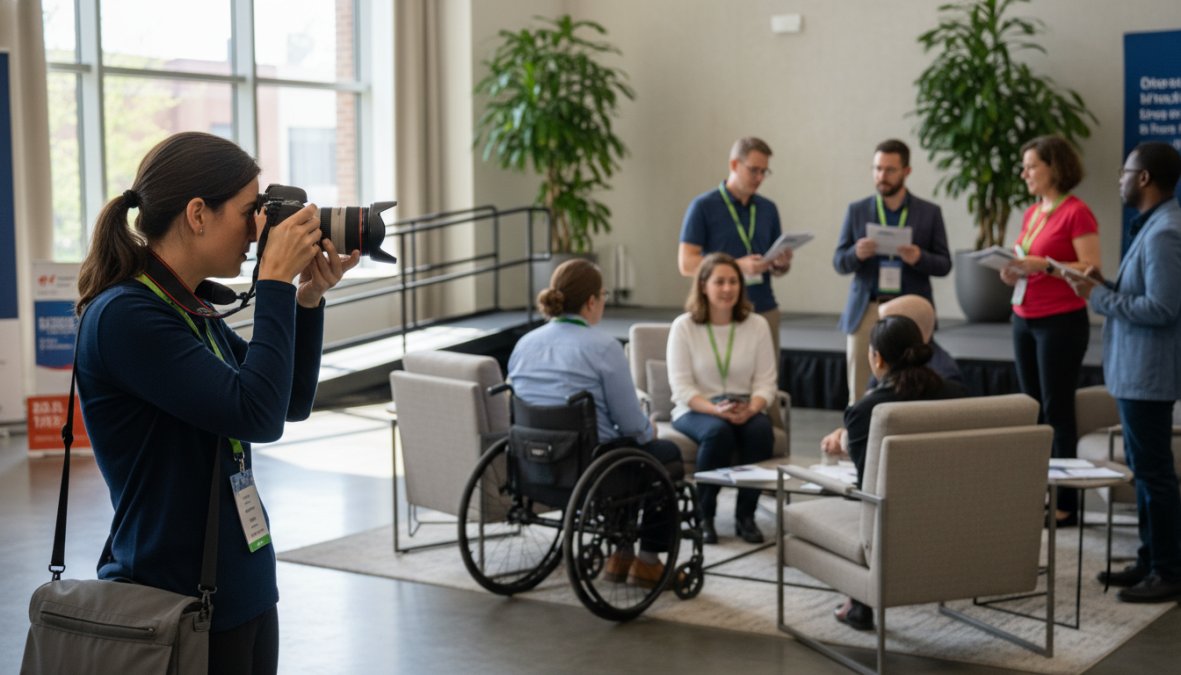
Planning determines what you can publish. Organizations that arrive at an event without a shot list leave the content strategy to chance. A shot list is a pre-agreed document between the marketing team and the photographer that specifies the exact moments, subjects, and compositions needed to execute the post-event marketing plan.
Building a Shot List That Serves Your Marketing Strategy
A shot list built around marketing outcomes is fundamentally different from a generic event photography checklist. Start with the end use case and work backward.
If your primary goal is lead generation through LinkedIn, you need images of speakers in action, audience engagement shots, and one-on-one networking moments. If you are building an event landing page for next year’s registration, you need wide establishing shots that convey scale and energy. If your goal is brand humanization, you need candid moments of your team interacting with attendees.
Core shot list categories for corporate events:
- Establishing shots: Venue exterior, registration area, full room before the program starts
- Speaker coverage: Wide shots of the stage, medium shots of the speaker, close-ups of audience reactions
- Networking moments: Candid conversations, handshakes, group interactions
- Brand elements: Signage, sponsor displays, branded materials in context
- Leadership portraits: Executives in natural event settings, not posed against a backdrop
- Attendee diversity: A representative cross-section of your audience
Event Photojournalism builds customized shot lists for every engagement, ensuring the images delivered align directly with each client’s marketing strategy rather than following a generic template.
Accessibility and Inclusivity in Event Photography
Accessibility in event photography is a gap most competitors do not address, and it matters more than the industry acknowledges. Inclusive visual representation, images that reflect the genuine diversity of your attendee community, directly affects how different audience segments perceive your brand.
Practically, this means briefing your photographer to actively seek out images that represent attendees across age, ethnicity, gender, and ability. It also means considering how images are used in digital contexts: every image published on your website should include descriptive alt text so that visually impaired users accessing the site with screen readers receive equivalent information.
For event landing pages and email campaigns, alt text for event images should describe the scene, the energy, and the context, not just label it as "event photo." This serves both accessibility compliance under WCAG 2.2 accessibility guidelines and SEO simultaneously.
Best Tools for Event Photo Management
Managing a large volume of high-resolution images after an event requires a system, not just a folder. The right tools reduce the time between image delivery and publication, which directly affects how quickly your marketing team can capitalize on post-event momentum.
| Tool | Primary Use | Best For |
|---|---|---|
| Google Photos | Cloud storage and basic organization | Small teams, quick sharing |
| Dropbox | Secure file delivery and client sharing | Photographer-to-client delivery |
| Bynder | Digital asset management (DAM) | Enterprise teams with large libraries |
| Canva | Resizing and design for social | Marketing teams creating formatted posts |
| Later | Social media scheduling | Teams managing multi-platform publishing |
| Adobe Lightroom | Professional editing and cataloging | In-house photo editing workflows |
The best tools for event photo management depend on team size and publishing volume. Small organizations can operate effectively with Google Photos for storage and Canva for formatting. Larger marketing teams managing events across multiple locations benefit from a dedicated digital asset management platform that supports tagging, rights management, and multi-user access.
A common mistake is investing in complex DAM software before the team has enough image volume to justify it. Start with a structured folder system and a consistent naming convention, then scale your tooling as your content library grows.
The naming convention matters more than most teams realize. A consistent structure like YYYY-MM-DD_EventName_Category_###.jpg makes images searchable without metadata software and prevents the "random file name" problem that buries assets in shared drives.
Turning event photography into sustained marketing output requires both the right images and a system to deploy them. Event Photojournalism delivers award-winning, high-resolution photography across the DMV area, with customized solutions built around your specific marketing objectives, whether that is a corporate conference, gala, or product launch. Our team works with you before the event to build a shot list aligned to your content strategy, ensuring every image delivered is ready to elevate your brand and amplify your message. Contact Event Photojournalism to transform your next event into a lasting visual asset library.
Frequently Asked Questions
Why is event photography important for marketing?
Event photography creates high-value visual assets that support nearly every marketing channel, social media, email campaigns, landing pages, and marketing collateral. Strong event photos build social proof, humanize your brand identity, and give audiences a reason to attend future events. They also extend your event's reach well beyond attendees, turning a single occasion into weeks of repurposable digital content that drives ongoing brand awareness and audience engagement.
How can I use event photos on social media effectively?
To use event photos for marketing on social media, start by sizing images correctly for each platform. Post a mix of candid attendee shots, speaker highlights, and behind-the-scenes moments to drive engagement. Use descriptive alt text and relevant hashtags to boost discoverability. Stagger posts over days or weeks to extend your content library's lifespan. Encourage user-generated content by tagging attendees and asking them to share their own photos for added audience reach.
Do I need a release form or consent waiver for event photos?
Yes, obtaining consent is a critical legal and ethical step before using event photos for marketing. An event photo release form template should cover the scope of image use, the platforms where photos may appear, and any image licensing terms. For corporate events and product launches, clearly communicate at registration that photography will occur. For smaller or private gatherings, individual consent forms or waivers are strongly recommended to respect privacy expectations and publicity rights.
What are the best tools for event photo management?
Popular tools for event photo management include cloud-based platforms like Google Photos, Dropbox, and SmugMug for storage and sharing. For professional workflows, tools like Pic-Time and Pixieset allow branded galleries with download controls. If you need AI-assisted content repurposing, tools like Canva and Adobe Express can quickly resize and reformat images for different channels. Choose a tool that supports high-resolution image delivery, easy client access, and organized tagging for efficient post-event marketing use.
How do you repurpose event content to maximize event ROI?
Repurposing event content starts with building a diverse visual library during the event itself using a planned shot list. From there, photos can be adapted into social media posts, email newsletters, blog headers, event landing pages, and paid ad creatives. AI tools can help batch-resize and reformat images quickly. Visual testimonials and candid attendee moments work especially well as social proof in post-event email marketing campaigns, significantly extending your event ROI without additional production costs.
This article was written using GrandRanker